HTML5 网页内容分页显示实现指南
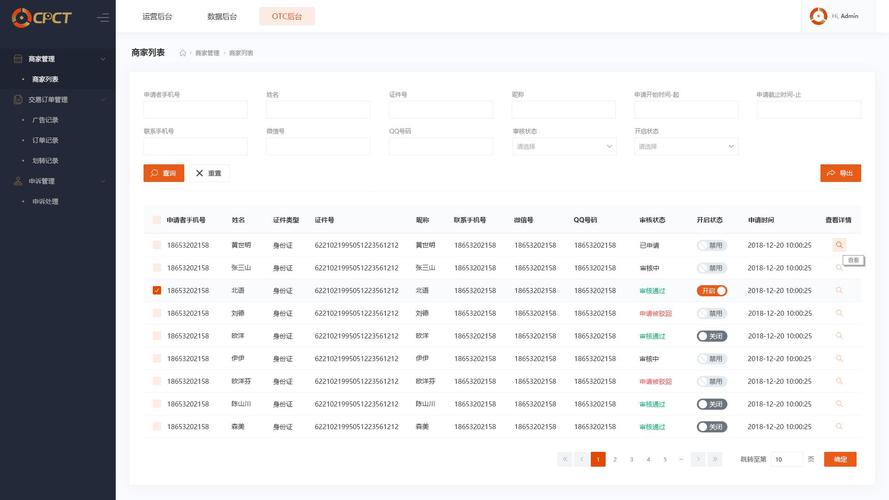
在 HTML5 网页中实现内容分页显示有多种方法,下面我将介绍几种常见的实现方式,包括纯 HTML/CSS 方案、JavaScript 实现以及使用分页插件。
(图片来源网络,侵删)
纯 HTML/CSS 分页方案
基础分页样式
<!DOCTYPE html>
<html lang="zh-CN">
<head>
    <meta charset="UTF-8">
    <meta name="viewport" content="width=device-width, initial-scale=1.0">纯CSS分页示例</title>
    <style>
        .pagination {
            display: flex;
            justify-content: center;
            list-style: none;
            padding: 0;
        }
        .pagination li {
            margin: 0 5px;
        }
        .pagination a {
            display: block;
            padding: 8px 16px;
            text-decoration: none;
            color: #333;
            border: 1px solid #ddd;
            border-radius: 4px;
        }
        .pagination a:hover {
            background-color: #f5f5f5;
        }
        .pagination .active a {
            background-color: #007bff;
            color: white;
            border-color: #007bff;
        }
        .content {
            margin: 20px 0;
        }
        .page-content {
            display: none;
        }
        .page-content.active {
            display: block;
        }
    </style>
</head>
<body>
    <div class="content">
        <div class="page-content active">
            <h2>第一页内容</h2>
            <p>这是第一页的详细内容...</p>
        </div>
        <div class="page-content">
            <h2>第二页内容</h2>
            <p>这是第二页的详细内容...</p>
        </div>
        <div class="page-content">
            <h2>第三页内容</h2>
            <p>这是第三页的详细内容...</p>
        </div>
    </div>
    <ul class="pagination">
        <li><a href="#page1">1</a></li>
        <li><a href="#page2">2</a></li>
        <li><a href="#page3">3</a></li>
    </ul>
    <script>
        // 简单的页面切换逻辑
        document.querySelectorAll('.pagination a').forEach(link => {
            link.addEventListener('click', function(e) {
                e.preventDefault();
                // 移除所有active类
                document.querySelectorAll('.page-content').forEach(page => {
                    page.classList.remove('active');
                });
                document.querySelectorAll('.pagination li').forEach(item => {
                    item.classList.remove('active');
                });
                // 添加active类到当前页面
                const pageId = this.getAttribute('href').substring(1);
                document.getElementById(pageId).classList.add('active');
                this.parentElement.classList.add('active');
            });
        });
    </script>
</body>
</html>
JavaScript 动态分页实现
无限滚动分页
<!DOCTYPE html>
<html lang="zh-CN">
<head>
    <meta charset="UTF-8">
    <meta name="viewport" content="width=device-width, initial-scale=1.0">无限滚动分页示例</title>
    <style>
        .item {
            padding: 15px;
            border-bottom: 1px solid #eee;
            margin-bottom: 10px;
        }
        .loading {
            text-align: center;
            padding: 20px;
            display: none;
        }
    </style>
</head>
<body>
    <div id="content"></div>
    <div class="loading">加载中...</div>
    <script>
        let page = 1;
        const loading = document.querySelector('.loading');
        const content = document.getElementById('content');
        function loadItems() {
            loading.style.display = 'block';
            // 模拟API请求
            setTimeout(() => {
                const items = [];
                for (let i = 1; i <= 10; i++) {
                    items.push(`<div class="item">第 ${page} 页的第 ${i} 项内容</div>`);
                }
                content.innerHTML += items.join('');
                page++;
                loading.style.display = 'none';
            }, 1000);
        }
        // 初始加载
        loadItems();
        // 监听滚动事件
        window.addEventListener('scroll', () => {
            if (window.innerHeight + window.scrollY >= document.body.offsetHeight - 100) {
                loadItems();
            }
        });
    </script>
</body>
</html>
使用分页库(如 jQuery Pagination)
<!DOCTYPE html>
<html lang="zh-CN">
<head>
    <meta charset="UTF-8">
    <meta name="viewport" content="width=device-width, initial-scale=1.0">jQuery分页示例</title>
    <script src="https://code.jquery.com/jquery-3.6.0.min.js"></script>
    <script src="https://cdnjs.cloudflare.com/ajax/libs/jQueryPagination.js/1.4.1/jquery.pagination.min.js"></script>
    <link rel="stylesheet" href="https://cdnjs.cloudflare.com/ajax/libs/jQueryPagination.js/1.4.1/jquery.pagination.css">
    <style>
        .content-item {
            padding: 15px;
            border-bottom: 1px solid #eee;
            margin-bottom: 10px;
        }
    </style>
</head>
<body>
    <div id="content"></div>
    <div id="pagination"></div>
    <script>
        // 模拟数据
        const totalItems = 100;
        const itemsPerPage = 10;
        const totalPages = Math.ceil(totalItems / itemsPerPage);
        // 初始化分页
        $("#pagination").pagination({
            items: totalItems,
            itemsOnPage: itemsPerPage,
            cssStyle: "light-theme",
            onPageClick: function(pageNumber) {
                loadPage(pageNumber);
            }
        });
        // 加载页面内容
        function loadPage(page) {
            const start = (page - 1) * itemsPerPage;
            const end = start + itemsPerPage;
            // 模拟API请求
            $.ajax({
                url: '/api/items',
                method: 'GET',
                data: { start, end },
                success: function(response) {
                    const items = response.data.map(item =>
                        `<div class="content-item">${item.title}</div>`
                    ).join('');
                    $('#content').html(items);
                }
            });
        }
        // 加载第一页
        loadPage(1);
    </script>
</body>
</html>
服务器端分页实现
使用 PHP 和 MySQL 的示例
<!DOCTYPE html>
<html lang="zh-CN">
<head>
    <meta charset="UTF-8">
    <meta name="viewport" content="width=device-width, initial-scale=1.0">服务器端分页示例</title>
    <style>
        .pagination {
            display: flex;
            justify-content: center;
            list-style: none;
            padding: 0;
        }
        .pagination li {
            margin: 0 5px;
        }
        .pagination a {
            display: block;
            padding: 8px 16px;
            text-decoration: none;
            color: #333;
            border: 1px solid #ddd;
            border-radius: 4px;
        }
        .pagination a:hover {
            background-color: #f5f5f5;
        }
        .pagination .active a {
            background-color: #007bff;
            color: white;
            border-color: #007bff;
        }
    </style>
</head>
<body>
    <div id="content">
        <!-- 内容将由服务器端生成 -->
        <?php
        // 数据库连接
        $conn = new mysqli('localhost', 'username', 'password', 'database');
        // 每页显示的记录数
        $per_page = 10;
        // 获取当前页码
        $page = isset($_GET['page']) ? (int)$_GET['page'] : 1;
        $offset = ($page - 1) * $per_page;
        // 获取总记录数
        $result = $conn->query("SELECT COUNT(*) FROM articles");
        $total_records = $result->fetch_row()[0];
        $total_pages = ceil($total_records / $per_page);
        // 获取当前页的数据
        $articles = $conn->query("SELECT * FROM articles LIMIT $offset, $per_page");
        while ($row = $articles->fetch_assoc()) {
            echo "<div class='article'>";
            echo "<h2>" . htmlspecialchars($row['title']) . "</h2>";
            echo "<p>" . htmlspecialchars($row['content']) . "</p>";
            echo "</div>";
        }
        ?>
    </div>
    <ul class="pagination">
        <?php
        // 生成页码链接
        for ($i = 1; $i <= $total_pages; $i++) {
            $active = $i == $page ? 'active' : '';
            echo "<li class='$active'><a href='?page=$i'>$i</a></li>";
        }
        ?>
    </ul>
</body>
</html>
最佳实践建议
-
用户体验:
- 显示当前页码和总页数
- 提供"上一页"/"下一页"按钮
- 当页数较多时,显示省略号(如 1 ... 5 6 7 ... 20)
- 加载时显示加载状态
-
性能考虑:
- 对于大量数据,优先使用服务器端分页
- 对于前端分页,考虑虚拟滚动技术
- 缓存已加载的数据
-
响应式设计:
- 确保分页控件在不同设备上都能良好显示
- 移动设备上可能需要更简洁的分页样式
-
无障碍访问:
 (图片来源网络,侵删)
- 为分页链接添加适当的ARIA属性
- 确保键盘导航可用
是实现 HTML5 网页内容分页显示的几种常见方法,您可以根据项目需求选择最适合的方案。
(图片来源网络,侵删)


