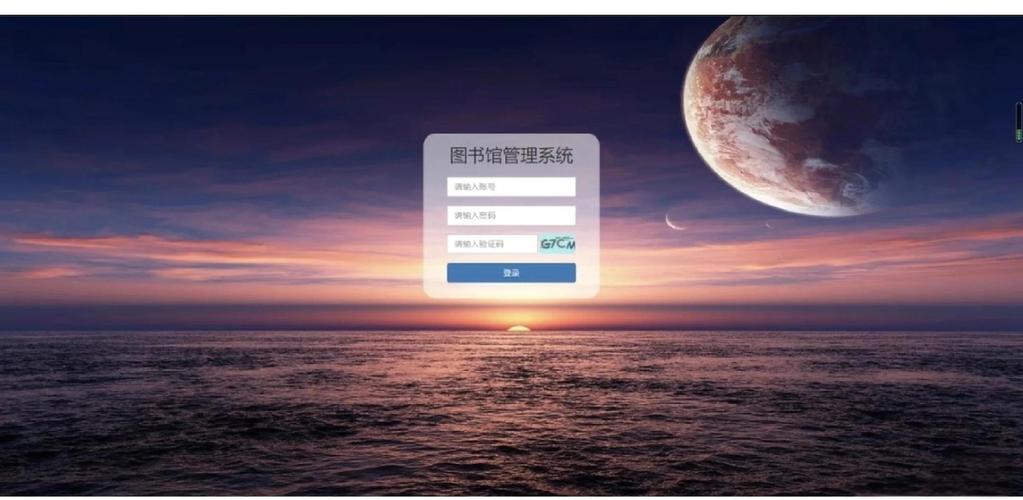
这个系统将包含用户和管理员两种角色,涵盖图书的增、删、改、查等核心功能。
(图片来源网络,侵删)
-
技术栈:
- 前端: HTML, CSS, JavaScript (用于表单验证和动态交互)
- 后端: PHP (面向对象)
- 数据库: MySQL (使用PDO进行数据库操作,更安全、更灵活)
- 服务器: Apache/Nginx + PHP
-
功能模块:
- 用户模块:
- 用户注册
- 用户登录
- 注销
- 图书列表展示 (分页)
- 图书搜索 (按书名、作者)
- 图书详情查看
- 借阅图书
- 查看我的借阅记录
- 管理员模块:
- 管理员登录
- 图书管理 (增、删、改、查)
- 用户管理 (查看、禁用/启用用户)
- 借阅管理 (查看所有借阅记录、处理归还)
- 用户模块:
-
数据库设计: 我们需要几张核心的数据表来存储信息。
-
users表 (用户表):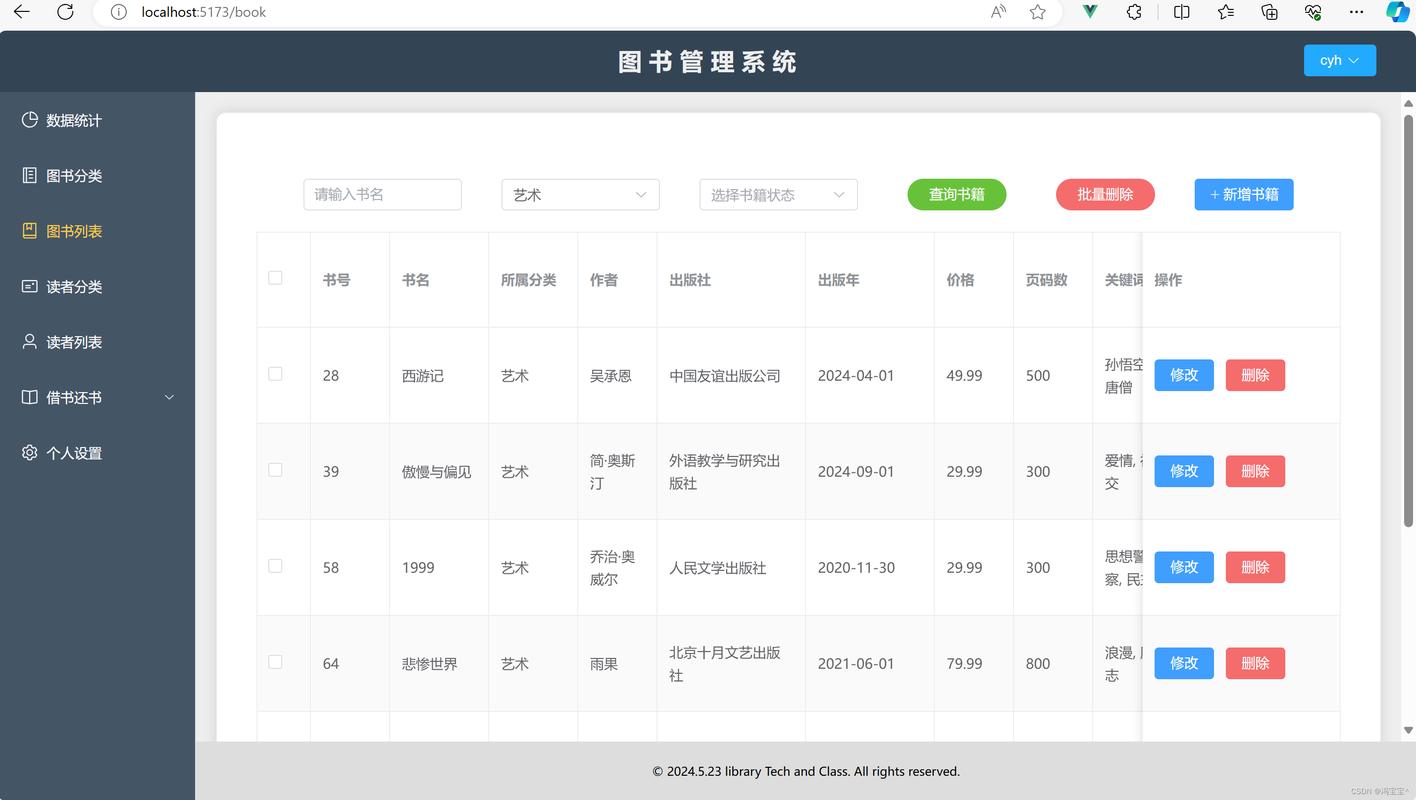 (图片来源网络,侵删)
id(INT, 主键, 自增)username(VARCHAR, 唯一)password(VARCHAR, 存储哈希后的密码)email(VARCHAR, 唯一)role(ENUM('user', 'admin'), 默认 'user')is_active(BOOLEAN, 默认 TRUE)created_at(DATETIME)
-
books表 (图书表):id(INT, 主键, 自增)title(VARCHAR, 图书标题)author(VARCHAR, 作者)isbn(VARCHAR, ISBN号)description(TEXT, 图书简介)total_copies(INT, 总数量)available_copies(INT, 可借数量)created_at(DATETIME)
-
borrows表 (借阅记录表):id(INT, 主键, 自增)user_id(INT, 外键关联users.id)book_id(INT, 外键关联books.id)borrow_date(DATE, 借出日期)due_date(DATE, 应还日期)return_date(DATE, 实际归还日期, NULL表示未归还)status(ENUM('borrowed', 'returned'), 默认 'borrowed')
-
第一步:项目结构
创建一个项目目录,library_management,并在其中创建以下文件和文件夹:
library_management/
├── assets/
│   ├── css/
│   │   └── style.css
│   └── js/
│       └── main.js
├── config/
│   └── database.php
├── includes/
│   ├── header.php
│   ├── footer.php
│   ├── navbar.php
│   └── functions.php
├── models/
│   ├── User.php
│   ├── Book.php
│   └── Borrow.php
├── controllers/
│   ├── auth_controller.php
│   ├── book_controller.php
│   └── user_controller.php
├── admin/
│   ├── dashboard.php
│   ├── books.php
│   ├── users.php
│   └── borrows.php
├── index.php
├── login.php
├── register.php
├── logout.php
├── search.php
├── book_details.php
├── my_borrows.php
└── .htaccess
第二步:数据库配置与初始化
config/database.php
这个文件负责连接数据库。
<?php
// config/database.php
class Database {
    private $host = 'localhost';
    private $db_name = 'library_db'; // 你的数据库名
    private $username = 'root';     // 你的数据库用户名
    private $password = '';         // 你的数据库密码
    public $conn;
    public function getConnection() {
        $this->conn = null;
        try {
            $this->conn = new PDO("mysql:host=" . $this->host . ";dbname=" . $this->db_name, $this->username, $this->password);
            $this->conn->exec("set names utf8");
            $this->conn->setAttribute(PDO::ATTR_ERRMODE, PDO::ERRMODE_EXCEPTION);
        } catch(PDOException $exception) {
            echo "Connection error: " . $exception->getMessage();
        }
        return $this->conn;
    }
}
创建数据库和表
在你的MySQL管理工具(如phpMyAdmin)中执行以下SQL语句来创建数据库和表:
-- 创建数据库
CREATE DATABASE IF NOT EXISTS library_db;
USE library_db;
-- 创建用户表
CREATE TABLE users (
    id INT AUTO_INCREMENT PRIMARY KEY,
    username VARCHAR(50) UNIQUE NOT NULL,
    password VARCHAR(255) NOT NULL,
    email VARCHAR(100) UNIQUE NOT NULL,
    role ENUM('user', 'admin') DEFAULT 'user',
    is_active BOOLEAN DEFAULT TRUE,
    created_at DATETIME DEFAULT CURRENT_TIMESTAMP
);
-- 创建图书表
CREATE TABLE books (
    id INT AUTO_INCREMENT PRIMARY KEY,VARCHAR(255) NOT NULL,
    author VARCHAR(100) NOT NULL,
    isbn VARCHAR(20) UNIQUE,
    description TEXT,
    total_copies INT NOT NULL DEFAULT 1,
    available_copies INT NOT NULL DEFAULT 1,
    created_at DATETIME DEFAULT CURRENT_TIMESTAMP
);
-- 创建借阅记录表
CREATE TABLE borrows (
    id INT AUTO_INCREMENT PRIMARY KEY,
    user_id INT NOT NULL,
    book_id INT NOT NULL,
    borrow_date DATE NOT NULL,
    due_date DATE NOT NULL,
    return_date DATE DEFAULT NULL,
    status ENUM('borrowed', 'returned') DEFAULT 'borrowed',
    FOREIGN KEY (user_id) REFERENCES users(id) ON DELETE CASCADE,
    FOREIGN KEY (book_id) REFERENCES books(id) ON DELETE CASCADE
);
-- 插入一个默认管理员用户 (密码为 'admin123')
INSERT INTO users (username, password, email, role) VALUES ('admin', '$2y$10$92IXUNpkjO0rOQ5byMi.Ye4oKoEa3Ro9llC/.og/at2.uheWG/igi', 'admin@example.com', 'admin');
注意: 密码 'admin123' 使用了 password_hash() 哈希,你可以用一小段PHP代码来生成这个哈希值。
第三步:核心模型层
模型负责与数据库交互。
models/User.php
<?php
// models/User.php
require_once 'config/database.php';
class User {
    private $conn;
    private $table_name = "users";
    public $id;
    public $username;
    public $password;
    public $email;
    public $role;
    public $is_active;
    public function __construct($db) {
        $this->conn = $db;
    }
    // 用户登录
    public function login() {
        $query = "SELECT id, username, password, role FROM " . $this->table_name . " WHERE username = :username AND is_active = 1 LIMIT 1";
        $stmt = $this->conn->prepare($query);
        $stmt->bindParam(":username", $this->username);
        $stmt->execute();
        $row = $stmt->fetch(PDO::FETCH_ASSOC);
        if ($row) {
            if (password_verify($this->password, $row['password'])) {
                $this->id = $row['id'];
                $this->username = $row['username'];
                $this->role = $row['role'];
                return true;
            }
        }
        return false;
    }
    // 检查用户名是否已存在
    public function isUsernameExists() {
        $query = "SELECT id FROM " . $this->table_name . " WHERE username = :username";
        $stmt = $this->conn->prepare($query);
        $stmt->bindParam(":username", $this->username);
        $stmt->execute();
        return $stmt->rowCount() > 0;
    }
    // 检查邮箱是否已存在
    public function isEmailExists() {
        $query = "SELECT id FROM " . $this->table_name . " WHERE email = :email";
        $stmt = $this->conn->prepare($query);
        $stmt->bindParam(":email", $this->email);
        $stmt->execute();
        return $stmt->rowCount() > 0;
    }
    // 创建新用户
    public function create() {
        $query = "INSERT INTO " . $this->table_name . " (username, password, email) VALUES (:username, :password, :email)";
        $stmt = $this->conn->prepare($query);
        // 清理输入
        $this->username = htmlspecialchars(strip_tags($this->username));
        $this->email = htmlspecialchars(strip_tags($this->email));
        // 密码哈希
        $this->password = password_hash($this->password, PASSWORD_DEFAULT);
        $stmt->bindParam(":username", $this->username);
        $stmt->bindParam(":password", $this->password);
        $stmt->bindParam(":email", $this->email);
        if($stmt->execute()) {
            return true;
        }
        return false;
    }
}
models/Book.php
<?php
// models/Book.php
require_once 'config/database.php';
class Book {
    private $conn;
    private $table_name = "books";
    public $id;
    public $title;
    public $author;
    public $isbn;
    public $description;
    public $total_copies;
    public $available_copies;
    public function __construct($db) {
        $this->conn = $db;
    }
    // 获取所有图书
    public function getAll() {
        $query = "SELECT * FROM " . $this->table_name . " ORDER BY created_at DESC";
        $stmt = $this->conn->prepare($query);
        $stmt->execute();
        return $stmt;
    }
    // 根据ID获取图书
    public function getById() {
        $query = "SELECT * FROM " . $this->table_name . " WHERE id = :id LIMIT 1";
        $stmt = $this->conn->prepare($query);
        $stmt->bindParam(":id", $this->id);
        $stmt->execute();
        $row = $stmt->fetch(PDO::FETCH_ASSOC);
        if($row) {
            $this->title = $row['title'];
            $this->author = $row['author'];
            $this->isbn = $row['isbn'];
            $this->description = $row['description'];
            $this->total_copies = $row['total_copies'];
            $this->available_copies = $row['available_copies'];
            return true;
        }
        return false;
    }
    // 添加新书
    public function create() {
        $query = "INSERT INTO " . $this->table_name . " (title, author, isbn, description, total_copies, available_copies) VALUES (:title, :author, :isbn, :description, :total_copies, :available_copies)";
        $stmt = $this->conn->prepare($query);
        $this->title = htmlspecialchars(strip_tags($this->title));
        $this->author = htmlspecialchars(strip_tags($this->author));
        $this->isbn = htmlspecialchars(strip_tags($this->isbn));
        $this->description = htmlspecialchars(strip_tags($this->description));
        $this->total_copies = htmlspecialchars(strip_tags($this->total_copies));
        $this->available_copies = htmlspecialchars(strip_tags($this->available_copies));
        $stmt->bindParam(":title", $this->title);
        $stmt->bindParam(":author", $this->author);
        $stmt->bindParam(":isbn", $this->isbn);
        $stmt->bindParam(":description", $this->description);
        $stmt->bindParam(":total_copies", $this->total_copies);
        $stmt->bindParam(":available_copies", $this->available_copies);
        if($stmt->execute()) {
            return true;
        }
        return false;
    }
    // 更新图书信息
    public function update() {
        $query = "UPDATE " . $this->table_name . " SET title = :title, author = :author, isbn = :isbn, description = :description, total_copies = :total_copies, available_copies = :available_copies WHERE id = :id";
        $stmt = $this->conn->prepare($query);
        $this->title = htmlspecialchars(strip_tags($this->title));
        $this->author = htmlspecialchars(strip_tags($this->author));
        $this->isbn = htmlspecialchars(strip_tags($this->isbn));
        $this->description = htmlspecialchars(strip_tags($this->description));
        $this->total_copies = htmlspecialchars(strip_tags($this->total_copies));
        $this->available_copies = htmlspecialchars(strip_tags($this->available_copies));
        $this->id = htmlspecialchars(strip_tags($this->id));
        $stmt->bindParam(":title", $this->title);
        $stmt->bindParam(":author", $this->author);
        $stmt->bindParam(":isbn", $this->isbn);
        $stmt->bindParam(":description", $this->description);
        $stmt->bindParam(":total_copies", $this->total_copies);
        $stmt->bindParam(":available_copies", $this->available_copies);
        $stmt->bindParam(":id", $this->id);
        if($stmt->execute()) {
            return true;
        }
        return false;
    }
    // 删除图书
    public function delete() {
        $query = "DELETE FROM " . $this->table_name . " WHERE id = :id";
        $stmt = $this->conn->prepare($query);
        $this->id = htmlspecialchars(strip_tags($this->id));
        $stmt->bindParam(":id", $this->id);
        if($stmt->execute()) {
            return true;
        }
        return false;
    }
    // 搜索图书
    public function search($keyword) {
        $query = "SELECT * FROM " . $this->table_name . " WHERE title LIKE :keyword OR author LIKE :keyword ORDER BY title ASC";
        $stmt = $this->conn->prepare($query);
        $keyword = "%{$keyword}%";
        $stmt->bindParam(":keyword", $keyword);
        $stmt->execute();
        return $stmt;
    }
}
第四步:控制器与页面实现
控制器负责处理业务逻辑,将数据传递给视图(页面)。
includes/functions.php (通用函数)
<?php
// includes/functions.php
// 启动会话
session_start();
// 检查用户是否登录
function isLoggedIn() {
    return isset($_SESSION['user_id']);
}
// 检查是否是管理员
function isAdmin() {
    return isset($_SESSION['role']) && $_SESSION['role'] === 'admin';
}
// 重定向用户
function redirect($url) {
    header("Location: " . BASE_URL . $url);
    exit();
}
// 显示错误信息
function flash($name = '', $message = '', $class = 'alert alert-success') {
    if(!empty($name)) {
        if(!empty($message) && empty($_SESSION[$name])) {
            if(!empty($_SESSION[$name])) {
                unset($_SESSION[$name]);
            }
            if(!empty($_SESSION[$name . '_class'])) {
                unset($_SESSION[$name . '_class']);
            }
            $_SESSION[$name] = $message;
            $_SESSION[$name . '_class'] = $class;
        } elseif(empty($message) && !empty($_SESSION[$name])) {
            $class = !empty($_SESSION[$name . '_class']) ? $_SESSION[$name . '_class'] : '';
            echo '<div class="' . $class . '" id="msg-flash">' . $_SESSION[$name] . '</div>';
            unset($_SESSION[$name]);
            unset($_SESSION[$name . '_class']);
        }
    }
}
includes/header.php 和 includes/navbar.php
includes/header.php:
<?php
// includes/header.php
require_once 'functions.php';
define('BASE_URL', 'http://localhost/library_management/'); // 修改为你的项目URL
?>
<!DOCTYPE html>
<html lang="zh-CN">
<head>
    <meta charset="UTF-8">
    <meta name="viewport" content="width=device-width, initial-scale=1.0">图书管理系统</title>
    <link href="https://cdn.jsdelivr.net/npm/bootstrap@5.3.0/dist/css/bootstrap.min.css" rel="stylesheet">
    <link rel="stylesheet" href="assets/css/style.css">
</head>
<body>
    <nav class="navbar navbar-expand-lg navbar-dark bg-dark">
        <div class="container">
            <a class="navbar-brand" href="index.php">📚 图书管理系统</a>
            <button class="navbar-toggler" type="button" data-bs-toggle="collapse" data-bs-target="#navbarNav">
                <span class="navbar-toggler-icon"></span>
            </button>
            <div class="collapse navbar-collapse" id="navbarNav">
                <ul class="navbar-nav ms-auto">
                    <li class="nav-item">
                        <a class="nav-link" href="index.php">首页</a>
                    </li>
                    <?php if(isLoggedIn()): ?>
                        <?php if(isAdmin()): ?>
                            <li class="nav-item">
                                <a class="nav-link" href="admin/dashboard.php">管理后台</a>
                            </li>
                        <?php endif; ?>
                        <li class="nav-item">
                            <a class="nav-link" href="my_borrows.php">我的借阅</a>
                        </li>
                        <li class="nav-item">
                            <a class="nav-link" href="logout.php">注销</a>
                        </li>
                    <?php else: ?>
                        <li class="nav-item">
                            <a class="nav-link" href="login.php">登录</a>
                        </li>
                        <li class="nav-item">
                            <a class="nav-link" href="register.php">注册</a>
                        </li>
                    <?php endif; ?>
                </ul>
            </div>
        </div>
    </nav>
    <div class="container mt-4">
        <?php flash('message'); ?>
includes/navbar.php:
<!-- 这个文件可以和header.php合并,或者用于其他需要导航的地方 -->
index.php (首页,展示图书列表)
<?php
// index.php
require_once 'config/database.php';
require_once 'models/Book.php';
require_once 'includes/header.php';
// 分页逻辑
$perPage = 8;
$page = isset($_GET['page']) ? (int)$_GET['page'] : 1;
$offset = ($page - 1) * $perPage;
$database = new Database();
$db = $database->getConnection();
$book = new Book($db);
// 获取图书总数
$totalQuery = "SELECT COUNT(*) FROM books";
$totalStmt = $db->prepare($totalQuery);
$totalStmt->execute();
$totalBooks = $totalStmt->fetchColumn();
$totalPages = ceil($totalBooks / $perPage);
// 获取当前页的图书
$book->title = ''; // 为了复用getAll,但这里不需要
$stmt = $book->getAll();
$stmt->bindValue(1, $perPage, PDO::PARAM_INT);
$stmt->bindValue(2, $offset, PDO::PARAM_INT);
// 注意: 上述PDO绑定对于getAll方法中的简单SQL无效,需要修改getAll方法以支持分页
// 修改 Book.php 的 getAll 方法:
// public function getAll($limit = null, $offset = null) {
// $query = "SELECT * FROM " . $this->table_name;
// if ($limit !== null && $offset !== null) {
// $query .= " LIMIT :limit OFFSET :offset";
// }
// $query .= " ORDER BY created_at DESC";
// $stmt = $this->conn->prepare($query);
// if ($limit !== null && $offset !== null) {
// $stmt->bindParam(":limit", $limit, PDO::PARAM_INT);
// $stmt->bindParam(":offset", $offset, PDO::PARAM_INT);
// }
// $stmt->execute();
// return $stmt;
// }
// 由于时间关系,我们这里简化,直接使用一个支持分页的查询
$query = "SELECT * FROM books ORDER BY created_at DESC LIMIT :limit OFFSET :offset";
$stmt = $db->prepare($query);
$stmt->bindValue(':limit', $perPage, PDO::PARAM_INT);
$stmt->bindValue(':offset', $offset, PDO::PARAM_INT);
$stmt->execute();
?>
<h2 class="mb-4">图书列表</h2>
<div class="row">
<?php while($row = $stmt->fetch(PDO::FETCH_ASSOC)): ?>
<div class="col-md-3 mb-4">
<div class="card h-100">
<div class="card-body">
<h5 class="card-title"><?php echo htmlspecialchars($row['title']); ?></h5>
<p class="card-text">作者: <?php echo htmlspecialchars($row['author']); ?></p>
<p class="card-text">可借: <span class="badge bg-<?php echo $row['available_copies'] > 0 ? 'success' : 'danger'; ?>"><?php echo $row['available_copies']; ?></span></p>
<a href="book_details.php?id=<?php echo $row['id']; ?>" class="btn btn-primary">查看详情</a>
</div>
</div>
</div>
<?php endwhile; ?>
</div>
<!-- 分页链接 -->
<nav aria-label="Page navigation">
<ul class="pagination justify-content-center">
<li class="page-item <?php echo $page <= 1 ? 'disabled' : ''; ?>">
<a class="page-link" href="index.php?page=<?php echo $page - 1; ?>" aria-label="Previous">
<span aria-hidden="true">«</span>
</a>
</li>
<?php for($i = 1; $i <= $totalPages; $i++): ?>
<li class="page-item <?php echo $page == $i ? 'active' : ''; ?>"><a class="page-link" href="index.php?page=<?php echo $i; ?>"><?php echo $i; ?></a></li>
<?php endfor; ?>
<li class="page-item <?php echo $page >= $totalPages ? 'disabled' : ''; ?>">
<a class="page-link" href="index.php?page=<?php echo $page + 1; ?>" aria-label="Next">
<span aria-hidden="true">»</span>
</a>
</li>
</ul>
</nav>
<?php require_once 'includes/footer.php'; ?>
login.php (登录页面)
<?php
// login.php
require_once 'config/database.php';
require_once 'models/User.php';
require_once 'includes/header.php';
if ($_SERVER['REQUEST_METHOD'] == 'POST') {
    $database = new Database();
    $db = $database->getConnection();
    $user = new User($db);
    $user->username = $_POST['username'];
    $user->password = $_POST['password'];
    if ($user->login()) {
        $_SESSION['user_id'] = $user->id;
        $_SESSION['username'] = $user->username;
        $_SESSION['role'] = $user->role;
        flash('message', '登录成功!', 'alert alert-success');
        redirect('index.php');
    } else {
        flash('message', '用户名或密码错误!', 'alert alert-danger');
    }
}
?>
<div class="row justify-content-center">
    <div class="col-md-6">
        <div class="card">
            <div class="card-header">用户登录</div>
            <div class="card-body">
                <form action="login.php" method="POST">
                    <div class="mb-3">
                        <label for="username" class="form-label">用户名</label>
                        <input type="text" class="form-control" id="username" name="username" required>
                    </div>
                    <div class="mb-3">
                        <label for="password" class="form-label">密码</label>
                        <input type="password" class="form-control" id="password" name="password" required>
                    </div>
                    <button type="submit" class="btn btn-primary w-100">登录</button>
                </form>
                <p class="mt-3 text-center">还没有账号? <a href="register.php">立即注册</a></p>
            </div>
        </div>
    </div>
</div>
<?php require_once 'includes/footer.php'; ?>
admin/dashboard.php (管理员后台)
<?php
// admin/dashboard.php
require_once '../includes/header.php';
require_once '../includes/functions.php';
if (!isAdmin()) {
    flash('message', '您没有权限访问此页面!', 'alert alert-danger');
    redirect('index.php');
}
?>
<h2 class="mb-4">管理后台</h2>
<div class="row">
    <div class="col-md-4 mb-3">
        <div class="card text-center">
            <div class="card-body">
                <h5 class="card-title">图书管理</h5>
                <p class="card-text">添加、编辑或删除图书。</p>
                <a href="books.php" class="btn btn-primary">管理图书</a>
            </div>
        </div>
    </div>
    <div class="col-md-4 mb-3">
        <div class="card text-center">
            <div class="card-body">
                <h5 class="card-title">用户管理</h5>
                <p class="card-text">查看和管理所有用户。</p>
                <a href="users.php" class="btn btn-primary">管理用户</a>
            </div>
        </div>
    </div>
    <div class="col-md-4 mb-3">
        <div class="card text-center">
            <div class="card-body">
                <h5 class="card-title">借阅管理</h5>
                <p class="card-text">查看所有借阅记录并处理归还。</p>
                <a href="borrows.php" class="btn btn-primary">管理借阅</a>
            </div>
        </div>
    </div>
</div>
<?php require_once '../includes/footer.php'; ?>
第五步:功能扩展与完善
-
借阅功能:
- 在
book_details.php页面,如果用户已登录且图书可借,显示一个“借阅”按钮。 - 点击后,调用一个
Borrow模型的方法,在borrows表中插入一条记录,并更新books表中的available_copies数量(减1)。 - 需要创建一个
Borrow.php模型和一个处理借阅请求的控制器逻辑。
- 在
-
归还功能:
- 在
my_borrows.php(用户)和admin/borrows.php(管理员)页面,对于未归还的图书,显示一个“归还”按钮。 - 点击后,更新
borrows表中对应记录的return_date和status,并将books表中的available_copies数量加1。
- 在
-
搜索功能:
- 在首页添加一个搜索框。
- 表单提交到
search.php。 search.php调用Book模型的search()方法,并显示搜索结果。
-
表单验证:
- 使用JavaScript在前端进行初步验证(如非空、格式等)。
- 在PHP后端再次进行验证,防止恶意请求。
-
错误处理:
- 使用
try...catch块处理数据库操作中可能出现的异常。 - 为用户提供友好的错误提示。
- 使用
-
安全性:
- SQL注入: 已通过PDO预处理语句解决。
- XSS攻击: 已通过
htmlspecialchars()函数解决。 - CSRF攻击: 为表单添加CSRF令牌。
- 密码安全: 使用
password_hash()和password_verify()。
这个项目为你提供了一个完整的PHP图书管理系统框架,你可以基于此进行扩展和美化,例如添加图书封面图片、实现更复杂的借阅规则(如预约、续借)、发送邮件通知等,关键在于将 MVC(模型-视图-控制器) 的思想贯彻始终,使代码结构清晰、易于维护。


