设计理念与效果预览
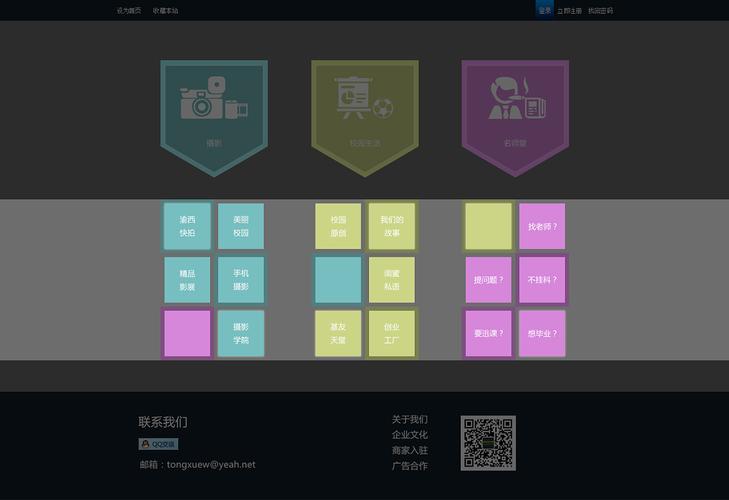
放射性导航的核心思想是:一个中心主图标,周围环绕多个子图标,鼠标悬停或点击时,子图标会像花瓣一样展开,形成清晰的导航结构。
(图片来源网络,侵删)
这种设计非常适合:
- 个人作品集/简历网站:展示核心技能或作品分类。
- 服务介绍页面:围绕一个核心服务,展示其子服务。
- 创意项目首页:增加页面的艺术感和互动性。
我们将实现以下几种效果:
- 基础展开:鼠标悬停时,子图标从中心呈放射状平滑展开。
- 动态旋转:子图标在展开的同时,带有优雅的旋转动画。
- 卡片式:展开的不仅仅是图标,而是带有文字说明的卡片,信息更丰富。
- 点击触发:通过点击来展开/收起子菜单,适合移动端或需要更稳定交互的场景。
核心技术实现
我们将使用 HTML5 来构建结构,CSS3 来实现所有的视觉效果和动画,不依赖任何 JavaScript。
HTML 结构
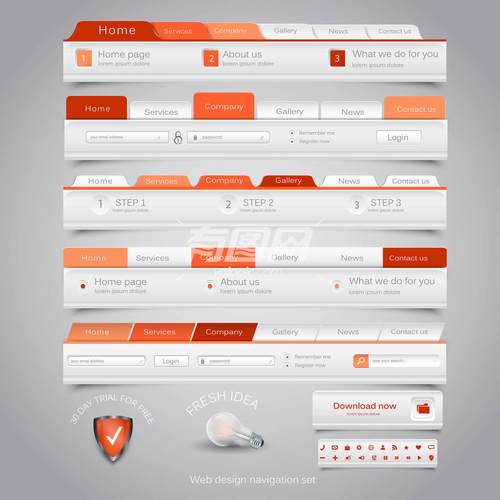
HTML 结构非常关键,它决定了我们如何用 CSS 来定位和动画化元素。
(图片来源网络,侵删)
<div class="radial-nav-container">
  <!-- 中心主图标 -->
  <a href="#" class="center-icon">
    <!-- 使用 SVG 图标,可以无限缩放且样式可控 -->
    <svg xmlns="http://www.w3.org/2000/svg" width="60" height="60" viewBox="0 0 24 24" fill="none" stroke="currentColor" stroke-width="2" stroke-linecap="round" stroke-linejoin="round">
      <circle cx="12" cy="12" r="3"></circle>
      <path d="M12 1v6m0 6v6m11-7h-6m-6 0H1"></path>
    </svg>
  </a>
  <!-- 环绕的子图标容器 -->
  <div class="radial-menu">
    <a href="#" class="menu-item">
      <svg>...</svg>
    </a>
    <a href="#" class="menu-item">
      <svg>...</svg>
    </a>
    <a href="#" class="menu-item">
      <svg>...</svg>
    </a>
    <a href="#" class="menu-item">
      <svg>...</svg>
    </a>
    <!-- 可以添加更多图标 -->
  </div>
</div>
CSS 样式与动画
这是实现效果的核心部分,我们将分步解析。
Step 1: 基础样式和定位
我们需要将所有子图标重叠在中心位置。
.radial-nav-container {
  position: relative; /* 关键:为绝对定位的子菜单提供参考 */
  width: 300px;
  height: 300px;
  margin: 50px auto;
}
.center-icon {
  position: absolute;
  top: 50%;
  left: 50%;
  transform: translate(-50%, -50%);
  width: 60px;
  height: 60px;
  background-color: #3498db;
  border-radius: 50%;
  display: flex;
  align-items: center;
  justify-content: center;
  z-index: 10; /* 确保中心图标在最上层 */
  text-decoration: none;
  color: white;
  transition: all 0.3s ease;
}
.center-icon:hover {
  transform: translate(-50%, -50%) scale(1.1);
  background-color: #2980b9;
}
.radial-menu {
  position: absolute;
  top: 0;
  left: 0;
  width: 100%;
  height: 100%;
}
.menu-item {
  position: absolute;
  top: 50%;
  left: 50%;
  width: 50px;
  height: 50px;
  background-color: #e74c3c;
  border-radius: 50%;
  display: flex;
  align-items: center;
  justify-content: center;
  text-decoration: none;
  color: white;
  transition: all 0.4s cubic-bezier(0.175, 0.885, 0.32, 1.275); /* 自定义缓动函数,使动画更生动 */
  opacity: 0; /* 初始状态不可见 */
  transform: translate(-50%, -50%) scale(0); /* 初始状态缩放为0 */
}
/* 为每个子图标设置不同的延迟,创造依次展开的效果 */
.menu-item:nth-child(1) { transition-delay: 0s; }
.menu-item:nth-child(2) { transition-delay: 0.1s; }
.menu-item:nth-child(3) { transition-delay: 0.2s; }
.menu-item:nth-child(4) { transition-delay: 0.3s; }
Step 2: 实现放射状展开
(图片来源网络,侵删)
这是最关键的一步,我们将使用 hover 伪类来改变 .radial-menu 中所有 .menu-item 的状态。
/* 当鼠标悬停在容器上时,改变子图标的状态 */
.radial-nav-container:hover .menu-item {
  opacity: 1;
  transform: translate(-50%, -50%) scale(1);
}
/* 使用 CSS 变量来动态计算每个图标的位置 */
.radial-nav-container:hover .menu-item:nth-child(1) {
  transform: translate(-50%, -50%) translateX(120px) translateY(0) scale(1);
}
.radial-nav-container:hover .menu-item:nth-child(2) {
  transform: translate(-50%, -50%) translateX(85px) translateY(-85px) scale(1);
}
.radial-nav-container:hover .menu-item:nth-child(3) {
  transform: translate(-50%, -50%) translateX(0) translateY(-120px) scale(1);
}
.radial-nav-container:hover .menu-item:nth-child(4) {
  transform: translate(-50%, -50%) translateX(-85px) translateY(-85px) scale(1);
}
/* ... 为其他图标添加相应的位置 */
原理:
translate(-50%, -50%):将每个图标的中心对准容器的中心点。translateX(...) translateY(...):在中心点的基础上,根据三角函数(cos和sin)计算出每个图标在圆周上的偏移量,0度是(r, 0),90度是(0, -r),180度是(-r, 0),270度是(0, r)。scale(1):将图标恢复到原始大小。opacity: 1:让图标显示出来。
完整代码示例与效果展示
这里提供两个完整的示例,你可以直接复制到 HTML 文件中查看效果。
示例1:基础展开与旋转效果
这个例子结合了展开和旋转,非常炫酷。
<!DOCTYPE html>
<html lang="zh-CN">
<head>
  <meta charset="UTF-8">
  <meta name="viewport" content="width=device-width, initial-scale=1.0">CSS3 放射性导航</title>
  <style>
    * {
      margin: 0;
      padding: 0;
      box-sizing: border-box;
    }
    body {
      display: flex;
      justify-content: center;
      align-items: center;
      min-height: 100vh;
      background: #2c3e50;
      font-family: Arial, sans-serif;
    }
    .radial-nav-container {
      position: relative;
      width: 300px;
      height: 300px;
    }
    .center-icon {
      position: absolute;
      top: 50%;
      left: 50%;
      transform: translate(-50%, -50%);
      width: 80px;
      height: 80px;
      background: #3498db;
      border-radius: 50%;
      display: flex;
      align-items: center;
      justify-content: center;
      z-index: 10;
      text-decoration: none;
      color: white;
      box-shadow: 0 5px 15px rgba(0,0,0,0.3);
      transition: all 0.3s ease;
    }
    .center-icon:hover {
      transform: translate(-50%, -50%) scale(1.1);
      background: #2980b9;
    }
    .center-icon svg {
      width: 40px;
      height: 40px;
    }
    .radial-menu {
      position: absolute;
      top: 0;
      left: 0;
      width: 100%;
      height: 100%;
    }
    .menu-item {
      position: absolute;
      top: 50%;
      left: 50%;
width: 

