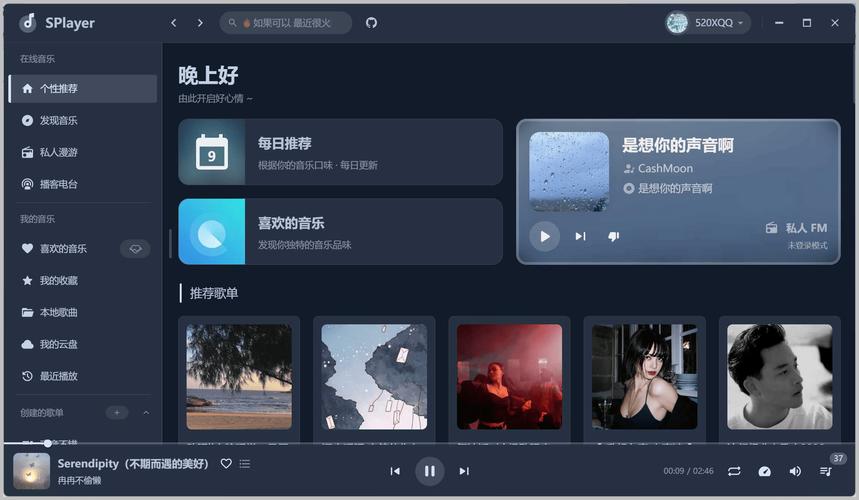
您可以直接复制下面的代码,保存为 .html 文件,然后在浏览器中打开即可看到效果。
(图片来源网络,侵删)
功能亮点
- 自定义控制器:完全自定义的播放/暂停、进度条、音量、时间显示等控件,样式更美观,可深度定制。
- 播放列表:侧边栏播放列表,支持切换不同视频,并高亮当前播放项。
- 响应式设计:在桌面端和移动端都有良好的显示和交互体验。
- 键盘快捷键:支持
空格键播放/暂停, 快进/快退 5 秒。 - 完整功能:包含全屏、画中画、自动播放、循环播放等标准功能。
- 现代UI设计:使用渐变色、阴影和圆角,界面美观大方。
HTML5 视频播放网页模板代码
<!DOCTYPE html>
<html lang="zh-CN">
<head>
<meta charset="UTF-8">
<meta name="viewport" content="width=device-width, initial-scale=1.0">现代 HTML5 视频播放器</title>
<style>
/* --- 全局样式和变量 --- */
:root {
--primary-color: #3498db;
--secondary-color: #2c3e50;
--accent-color: #e74c3c;
--background-color: #1a1a1a;
--text-color: #ecf0f1;
--sidebar-width: 300px;
}
* {
margin: 0;
padding: 0;
box-sizing: border-box;
}
body {
font-family: 'Arial', sans-serif;
background-color: var(--background-color);
color: var(--text-color);
overflow: hidden;
}
/* --- 主布局 --- */
.app-container {
display: flex;
height: 100vh;
}
/* --- 视频播放区域 --- */
.video-section {
flex: 1;
display: flex;
flex-direction: column;
background-color: #000;
}
.video-wrapper {
position: relative;
width: 100%;
flex-grow: 1;
display: flex;
align-items: center;
justify-content: center;
}
video {
width: 100%;
height: 100%;
object-fit: contain; /* 保持视频比例,不裁剪 */
}
/* --- 自定义控制器 --- */
.custom-controls {
position: absolute;
bottom: 0;
left: 0;
right: 0;
background: linear-gradient(to top, rgba(0,0,0,0.8), transparent);
padding: 20px;
transform: translateY(100%);
transition: transform 0.3s ease-in-out;
}
.video-wrapper:hover .custom-controls,
.custom-controls:hover {
transform: translateY(0);
}
.controls-top {
display: flex;
justify-content: space-between;
align-items: center;
margin-bottom: 10px;
}
.play-pause-btn {
background: none;
border: none;
color: var(--text-color);
font-size: 24px;
cursor: pointer;
transition: color 0.2s;
}
.play-pause-btn:hover {
color: var(--primary-color);
}
.time-display {
font-size: 14px;
}
.progress-container {
width: 100%;
height: 6px;
background-color: rgba(255, 255, 255, 0.3);
border-radius: 3px;
cursor: pointer;
position: relative;
}
.progress-bar {
height: 100%;
background: linear-gradient(to right, var(--primary-color), var(--accent-color));
border-radius: 3px;
width: 0%;
position: relative;
}
.progress-bar::after {
content: '';
position: absolute;
right: -8px;
top: 50%;
transform: translateY(-50%);
width: 16px;
height: 16px;
background-color: var(--text-color);
border-radius: 50%;
box-shadow: 0 0 5px rgba(0,0,0,0.5);
}
.controls-bottom {
display: flex;
justify-content: space-between;
align-items: center;
margin-top: 10px;
}
.volume-container {
display: flex;
align-items: center;
gap: 10px;
}
.volume-slider {
width: 80px;
height: 4px;
-webkit-appearance: none;
appearance: none;
background: rgba(255, 255, 255, 0.3);
outline: none;
opacity: 0.7;
transition: opacity 0.2s;
border-radius: 2px;
}
.volume-slider:hover {
opacity: 1;
}
.volume-slider::-webkit-slider-thumb {
-webkit-appearance: none;
appearance: none;
width: 12px;
height: 12px;
background: var(--primary-color);
cursor: pointer;
border-radius: 50%;
}
.feature-btn {
background: none;
border: none;
color: var(--text-color);
font-size: 18px;
cursor: pointer;
padding: 5px;
margin-left: 10px;
transition: color 0.2s;
}
.feature-btn:hover {
color: var(--primary-color);
}
/* --- 播放列表侧边栏 --- */
.playlist-sidebar {
width: var(--sidebar-width);
background-color: var(--secondary-color);
padding: 20px;
overflow-y: auto;
transition: transform 0.3s ease-in-out;
}
.playlist-sidebar.hidden {
transform: translateX(100%);
}
.playlist-toggle {
position: absolute;
top: 20px;
right: calc(var(--sidebar-width) + 20px);
background-color: var(--primary-color);
color: white;
border: none;
padding: 10px 15px;
border-radius: 5px;
cursor: pointer;
z-index: 10;
transition: right 0.3s ease-in-out;
}
.playlist-sidebar.hidden + .playlist-toggle {
right: 20px;
}
.playlist-item {
padding: 15px;
margin-bottom: 10px;
background-color: rgba(255, 255, 255, 0.1);
border-radius: 8px;
cursor: pointer;
transition: all 0.2s;
}
.playlist-item:hover {
background-color: rgba(255, 255, 255, 0.2);
transform: translateX(-5px);
}
.playlist-item.active {
background: linear-gradient(to right, var(--primary-color), #2980b9);
font-weight: bold;
}
.playlist-item h4 {
margin-bottom: 5px;
}
.playlist-item p {
font-size: 12px;
color: #bdc3c7;
}
/* --- 响应式设计 --- */
@media (max-width: 768px) {
.app-container {
flex-direction: column;
}
.playlist-sidebar {
width: 100%;
height: 30vh;
position: absolute;
bottom: 0;
transform: translateY(100%);
z-index: 5;
}
.playlist-sidebar.hidden {
transform: translateY(100%);
}
.playlist-toggle {
top: 10px;
right: 20px;
}
}
</style>
</head>
<body>
<div class="app-container">
<!-- 视频播放区域 -->
<section class="video-section">
<div class="video-wrapper">
<video id="main-video">
<source src="https://commondatastorage.googleapis.com/gtv-videos-bucket/sample/BigBuckBunny.mp4" type="video/mp4">
您的浏览器不支持 HTML5 视频。
</video>
<!-- 自定义控制器 -->
<div class="custom-controls">
<div class="controls-top">
<button class="play-pause-btn" id="play-pause-btn">▶️</button>
<div class="time-display">
<span id="current-time">0:00</span> / <span id="duration">0:00</span>
</div>
</div>
<div class="progress-container" id="progress-container">
<div class="progress-bar" id="progress-bar"></div>
</div>
<div class="controls-bottom">
<div class="volume-container">
<span>🔊</span>
<input type="range" class="volume-slider" id="volume-slider" min="0" max="1" step="0.01" value="1">
</div>
<div>
<button class="feature-btn" id="pip-btn" title="画中画">🖼️</button>
<button class="feature-btn" id="fullscreen-btn" title="全屏">⛶</button>
</div>
</div>
</div>
</div>
</section>
<!-- 播放列表侧边栏 -->
<aside class="playlist-sidebar hidden" id="playlist-sidebar">
<h2>播放列表</h2>
<div class="playlist-item active" data-src="https://commondatastorage.googleapis.com/gtv-videos-bucket/sample/BigBuckBunny.mp4">
<h4>Big Buck Bunny</h4>
<p>一个关于兔子和朋友的动画短片。</p>
</div>
<div class="playlist-item" data-src="https://commondatastorage.googleapis.com/gtv-videos-bucket/sample/ElephantsDream.mp4">
<h4>Elephants Dream</h4>
<p>第一部使用开源软件制作的 3D 动画电影。</p>
</div>
<div class="playlist-item" data-src="https://commondatastorage.googleapis.com/gtv-videos-bucket/sample/ForBiggerBlazes.mp4">
<h4>For Bigger Blazes</h4>
<p>一个高清广告示例视频。</p>
</div>
<div class="playlist-item" data-src="https://commondatastorage.googleapis.com/gtv-videos-bucket/sample/ForBiggerEscapes.mp4">
<h4>For Bigger Escapes</h4>
<p>另一个高清广告示例视频。</p>
</div>
</aside>
<!-- 播放列表切换按钮 -->
<button class="playlist-toggle" id="playlist-toggle">📋</button>
</div>
<script>
document.addEventListener('DOMContentLoaded', () => {
const video = document.getElementById('main-video');
const playPauseBtn = document.getElementById('play-pause-btn');
const progressBar = document.getElementById('progress-bar');
const progressContainer = document.getElementById('progress-container');
const currentTimeEl = document.getElementById('current-time');
const durationEl = document.getElementById('duration');
const volumeSlider = document.getElementById('volume-slider');
const fullscreenBtn = document.getElementById('fullscreen-btn');
const pipBtn = document.getElementById('pip-btn');
const playlistItems = document.querySelectorAll('.playlist-item');
const playlistSidebar = document.getElementById('playlist-sidebar');
const playlistToggle = document.getElementById('playlist-toggle');
// --- 播放/暂停 ---
function togglePlayPause() {
if (video.paused) {
video.play();
playPauseBtn.textContent = '⏸️';
} else {
video.pause();
playPauseBtn.textContent = '▶️';
}
}
playPauseBtn.addEventListener('click', togglePlayPause);
video.addEventListener('click', togglePlayPause);
// --- 更新进度条 ---
video.addEventListener('timeupdate', () => {
const { currentTime, duration } = video;
const progressPercent = (currentTime / duration) * 100;
progressBar.style.width = `${progressPercent}%`;
currentTimeEl.textContent = formatTime(currentTime);
durationEl.textContent = formatTime(duration);
});
// --- 点击进度条跳转 ---
progressContainer.addEventListener('click', (e) => {
const rect = progressContainer.getBoundingClientRect();
const pos = (e.clientX - rect.left) / rect.width;
video.currentTime = pos * video.duration;
});
// --- 音量控制 ---
volumeSlider.addEventListener('input', (e) => {
video.volume = e.target.value;
});
// --- 全屏控制 ---
fullscreenBtn.addEventListener('click', () => {
if (!document.fullscreenElement) {
video.requestFullscreen().catch(err => {
alert(`Error attempting to enable fullscreen: ${err.message}`);
});
} else {
document.exitFullscreen();
}
});
// --- 画中画 控制 ---
pipBtn.addEventListener('click', async () => {
try {
if (document.pictureInPictureElement) {
await document.exitPictureInPicture();
} else if (document.pictureInPictureEnabled) {
await video.requestPictureInPicture();
}
} catch (error) {
console.error("画中画功能出错:", error);
}
});
// --- 播放列表控制 ---
playlistToggle.addEventListener('click', () => {
playlistSidebar.classList.toggle('hidden');
});
playlistItems.forEach(item => {
item.addEventListener('click', () => {
const videoSrc = item.getAttribute('data-src');
video.src = videoSrc;
video.play();
playPauseBtn.textContent = '⏸️';
// 更新激活状态
playlistItems.forEach(i => i.classList.remove('active'));
item.classList.add('active');
// 在移动端,选择视频后隐藏播放列表
if (window.innerWidth <= 768) {
playlistSidebar.classList.add('hidden');
}
});
});
// --- 键盘快捷键 ---
document.addEventListener('keydown', (e) => {
if (e.target.tagName.toLowerCase() === 'input') return; // 避免在输入框中触发
switch(e.code) {
case 'Space':
e.preventDefault();
togglePlayPause();
break;
case 'ArrowLeft':
video.currentTime -= 5;
break;
case 'ArrowRight':
video.currentTime += 5;
break;
}
});
// --- 工具函数:格式化时间 ---
function formatTime(seconds) {
const minutes = Math.floor(seconds / 60);
const remainingSeconds = Math.floor(seconds % 60);
return `${minutes}:${remainingSeconds < 10 ? '0' : ''}${remainingSeconds}`;
}
});
</script>
</body>
</html>
如何使用和修改
- 保存文件:将以上所有代码复制到一个文本编辑器中,保存为
video-player.html文件。 - 本地视频:如果你想播放自己本地的视频,只需将
<video>标签中的src属性值修改为你的视频文件路径即可,<video id="main-video"> <source src="path/to/your/video.mp4" type="video/mp4"> 您的浏览器不支持 HTML5 视频。 </video> - 修改播放列表:要修改播放列表,只需更改
<aside class="playlist-sidebar">中的<div class="playlist-item">部分,每个data-src属性对应一个视频的 URL,你可以替换成任何公开可访问的视频链接。 - 自定义样式:所有样式都在
<style>标签内,你可以通过修改 CSS 变量(如root中定义的)来快速改变主题颜色,或者直接修改具体的 CSS 规则来调整布局、颜色、字体等。
技术说明
- HTML5
<video>元素:这是核心,提供了视频播放的底层能力。 - CSS3:用于实现现代化的 UI 设计,包括渐变、过渡、变换和响应式布局。
- JavaScript:负责处理所有交互逻辑,如播放控制、进度更新、事件监听等。
- 事件监听:代码中大量使用了
addEventListener来监听视频的timeupdate、用户的click、键盘的keydown等事件,从而实现动态交互。 - API 利用:使用了
requestFullscreen和requestPictureInPicture等现代浏览器 API 来增强播放器功能。
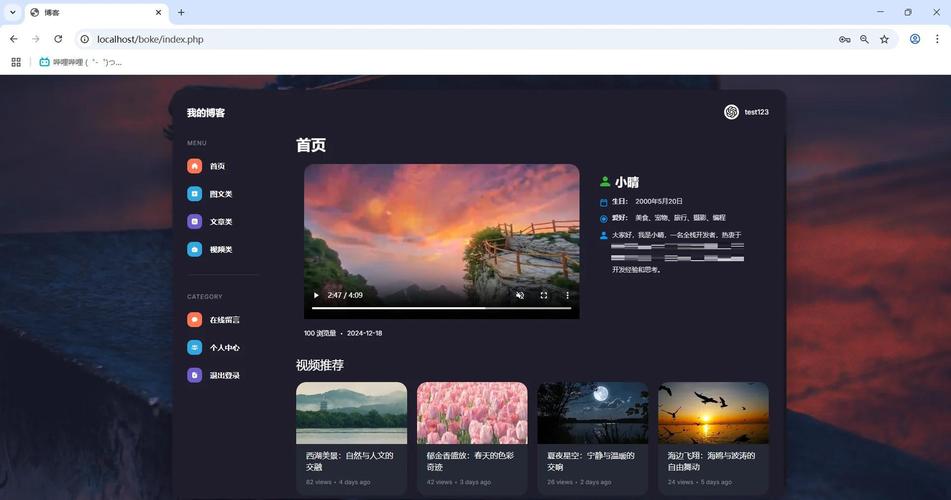
这个模板是一个非常好的起点,你可以基于它进行二次开发,添加更多功能,比如弹幕、视频截图、倍速播放等。
(图片来源网络,侵删)


