下面我将为您提供一套完整的 “Coming Soon” 页面构建指南,包含核心要素、设计风格、代码模板(HTML + CSS + JS)以及实用工具推荐,您可以根据自己的需求进行修改和使用。
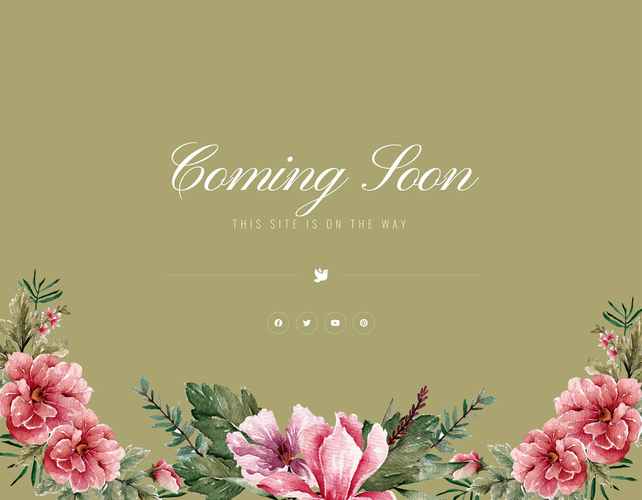
(图片来源网络,侵删)
核心要素(必须包含)
一个专业的 Coming Soon 页面,无论设计如何变化,都应包含以下几个关键部分:
-
- 目的: 一眼就能告诉访客这是什么。
- 示例:
[产品/网站名称] 即将上线Something Amazing is Coming我们正在准备一些精彩的内容...
-
引人入胜的副标题或简短描述
- 目的: 简要说明网站/产品的价值或亮点,激发访客兴趣。
- 示例:
一款全新的协作工具,让团队效率提升 200%。探索未来科技的无限可能。,只为等待的你准备。
-
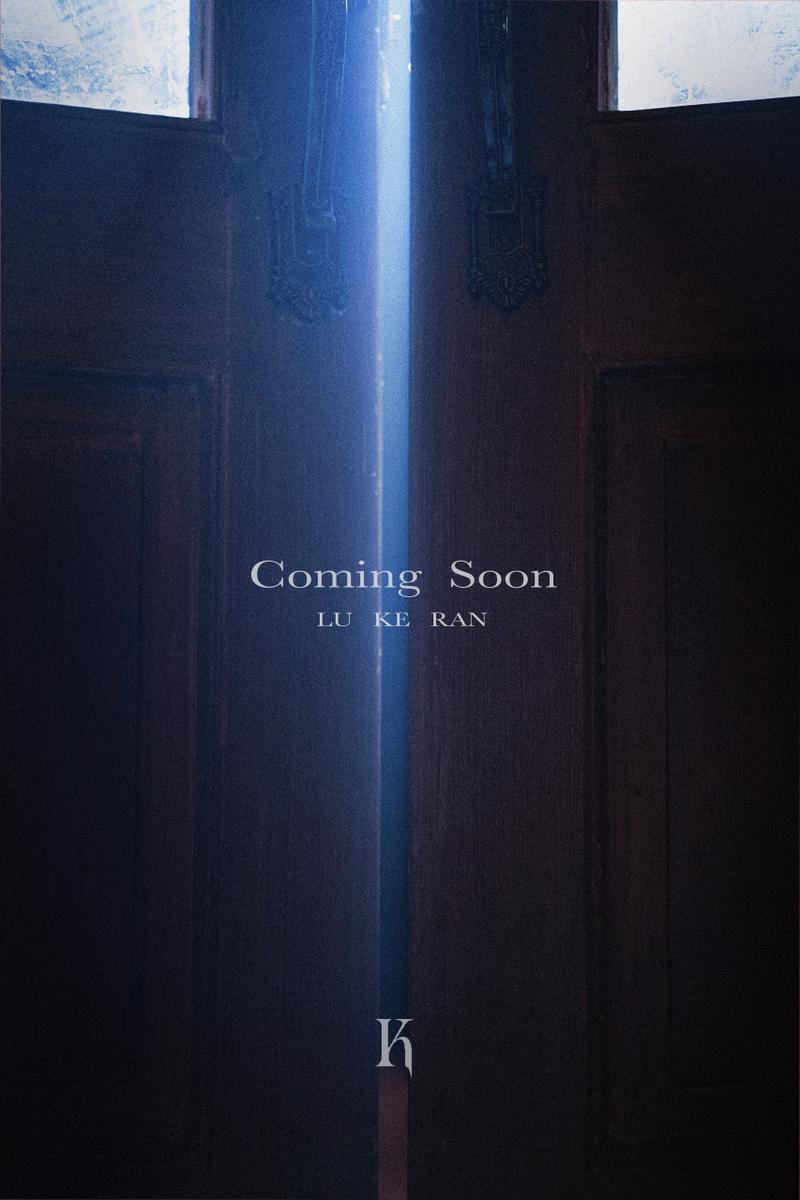
倒计时器
 (图片来源网络,侵删)
- 目的: 制造紧迫感和期待感,是页面的核心互动元素。
- 实现: 显示距离正式发布还剩的 天、时、分、秒。
-
邮件订阅表单
- 目的: 最重要的营销目标! 在上线前获取第一批忠实用户。
- 最佳实践:
- 提供一个简单的输入框和一个提交按钮。
- 添加一句诱人的提示语,如“第一时间获取上线通知”、“独家内测资格等你来拿”。
- 提交后,显示感谢信息(如“感谢订阅!我们将很快与您联系。”)。
-
社交媒体链接
- 目的: 将访客引流到你的社交平台,保持互动,并在上线时进行多渠道宣传。
- 平台: Twitter, Instagram, Facebook, LinkedIn, YouTube 等。
-
视觉元素
- 目的: 提升页面的视觉吸引力和品牌辨识度。
- 形式:
- 背景图/视频: 使用高质量、有氛围感的图片或循环播放的短视频。
- Logo: 清晰展示你的品牌标识。
- 插画/图标: 使用与品牌调性相符的插画或图标来装饰页面。
-
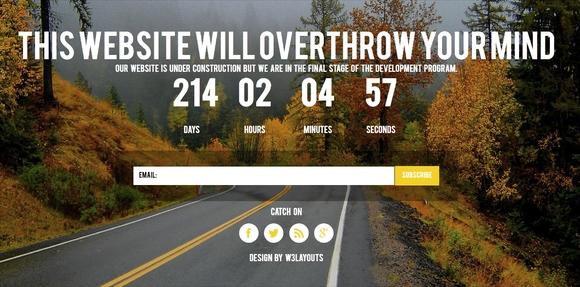
简单的页脚
 (图片来源网络,侵删)
- 目的: 提供法律信息和额外链接。
- 版权信息、隐私政策、使用条款等链接。
设计风格与氛围
根据你的品牌定位,选择不同的设计风格:
- 极简科技风: 大量留白,简洁的线条,深色背景配合霓虹色或单色文字,适合 SaaS 工具、科技公司。
- 创意插画风: 使用独特的插画和有趣的动画,营造活泼、友好的氛围,适合创意产品、儿童应用、游戏。
- 神秘悬念风: 使用深色背景、模糊的剪影、问号等元素,制造神秘感,适合电影、小说、高奢产品发布。
- 优雅复古风: 使用经典的字体、纹理和配色,传递一种高品质、值得信赖的感觉,适合时尚、设计、餐饮品牌。
HTML + CSS + JS 完整模板
这是一个简单、现代、可高度定制的模板,您可以直接复制代码,修改其中的内容和链接即可使用。
文件结构:
index.html(页面结构)style.css(页面样式)script.js(倒计时和表单逻辑)
index.html
<!DOCTYPE html>
<html lang="zh-CN">
<head>
<meta charset="UTF-8">
<meta name="viewport" content="width=device-width, initial-scale=1.0">Coming Soon - [你的网站名称]</title>
<link rel="stylesheet" href="style.css">
<!-- 引入一个图标库,Font Awesome -->
<link rel="stylesheet" href="https://cdnjs.cloudflare.com/ajax/libs/font-awesome/6.4.0/css/all.min.css">
</head>
<body>
<div class="container">
<header>
<!-- 你的 Logo -->
<img src="https://via.placeholder.com/150" alt="Logo" class="logo">
</header>
<main>
<h1>我们正在准备一些精彩的内容</h1>
<p>一款革命性的新产品即将改变你的生活方式,敬请期待!</p>
<!-- 倒计时器 -->
<div class="countdown" id="countdown">
<div class="time-box">
<span id="days">00</span>
<span class="label">天</span>
</div>
<div class="time-box">
<span id="hours">00</span>
<span class="label">时</span>
</div>
<div class="time-box">
<span id="minutes">00</span>
<span class="label">分</span>
</div>
<div class="time-box">
<span id="seconds">00</span>
<span class="label">秒</span>
</div>
</div>
<!-- 邮件订阅表单 -->
<form class="subscribe-form" id="subscribeForm">
<input type="email" placeholder="输入你的邮箱地址" required>
<button type="submit">立即通知我</button>
</form>
<p class="form-message" id="formMessage"></p>
<!-- 社交媒体链接 -->
<div class="social-links">
<a href="#" aria-label="Twitter"><i class="fab fa-twitter"></i></a>
<a href="#" aria-label="Instagram"><i class="fab fa-instagram"></i></a>
<a href="#" aria-label="Facebook"><i class="fab fa-facebook-f"></i></a>
<a href="#" aria-label="LinkedIn"><i class="fab fa-linkedin-in"></i></a>
</div>
</main>
<footer>
<p>© 2025 [你的公司名称]. All rights reserved.</p>
</footer>
</div>
<script src="script.js"></script>
</body>
</html>
style.css
/* --- 基础样式和变量 --- */
@import url('https://fonts.googleapis.com/css2?family=Poppins:wght@400;600;700&display=swap');
:root {
    --primary-color: #007bff;
    --secondary-color: #f8f9fa;
    --text-color: #333;
    --light-color: #fff;
    --font-family: 'Poppins', sans-serif;
}
* {
    margin: 0;
    padding: 0;
    box-sizing: border-box;
}
body {
    font-family: var(--font-family);
    background-color: #0a0a0a; /* 深色背景 */
    color: var(--light-color);
    min-height: 100vh;
    display: flex;
    justify-content: center;
    align-items: center;
    line-height: 1.6;
}
/* --- 布局 --- */
.container {
    text-align: center;
    padding: 2rem;
    max-width: 800px;
    width: 100%;
}
.logo {
    max-width: 150px;
    margin-bottom: 2rem;
}
/* --- 主要内容 --- */
h1 {
    font-size: 3rem;
    font-weight: 700;
    margin-bottom: 1rem;
    background: linear-gradient(45deg, #007bff, #00d4ff);
    -webkit-background-clip: text;
    -webkit-text-fill-color: transparent;
    background-clip: text;
}
p {
    font-size: 1.2rem;
    color: #ccc;
    margin-bottom: 3rem;
}
/* --- 倒计时器 --- */
.countdown {
    display: flex;
    justify-content: center;
    gap: 1.5rem;
    margin-bottom: 3rem;
}
.time-box {
    background: rgba(255, 255, 255, 0.1);
    border: 1px solid rgba(255, 255, 255, 0.2);
    border-radius: 10px;
    padding: 1.5rem;
    min-width: 100px;
    backdrop-filter: blur(10px);
}
.time-box span:first-child {
    display: block;
    font-size: 2.5rem;
    font-weight: 700;
    color: var(--light-color);
}
.time-box span:last-child {
    display: block;
    font-size: 0.9rem;
    color: #aaa;
    text-transform: uppercase;
}
/* --- 订阅表单 --- */
.subscribe-form {
    display: flex;
    justify-content: center;
    gap: 1rem;
    margin-bottom: 2rem;
}
.subscribe-form input[type="email"] {
    padding: 1rem;
    border: none;
    border-radius: 50px;
    width: 300px;
    background: rgba(255, 255, 255, 0.1);
    color: var(--light-color);
    font-size: 1rem;
    backdrop-filter: blur(10px);
    border: 1px solid rgba(255, 255, 255, 0.2);
}
.subscribe-form input[type="email"]::placeholder {
    color: #aaa;
}
.subscribe-form button {
    padding: 1rem 2rem;
    border: none;
    border-radius: 50px;
    background: var(--primary-color);
    color: var(--light-color);
    font-size: 1rem;
    font-weight: 600;
    cursor: pointer;
    transition: background-color 0.3s ease;
}
.subscribe-form button:hover {
    background: #0056b3;
}
.form-message {
    color: #28a745; /* 绿色表示成功 */
    min-height: 1.5rem;
}
/* --- 社交链接 --- */
.social-links {
    margin-bottom: 3rem;
}
.social-links a {
    color: var(--light-color);
    font-size: 1.5rem;
    margin: 0 1rem;
    transition: color 0.3s ease, transform 0.3s ease;
}
.social-links a:hover {
    color: var(--primary-color);
    transform: translateY(-5px);
}
/* --- 页脚 --- */
footer {
    font-size: 0.9rem;
    color: #888;
    border-top: 1px solid rgba(255, 255, 255, 0.1);
    padding-top: 2rem;
    width: 100%;
}
/* --- 响应式设计 --- */
@media (max-width: 768px) {
    h1 {
        font-size: 2rem;
    }
    .countdown {
        flex-wrap: wrap;
        gap: 1rem;
    }
    .time-box {
        min-width: 80px;
        padding: 1rem;
    }
    .time-box span:first-child {
        font-size: 2rem;
    }
    .subscribe-form {
        flex-direction: column;
        align-items: center;
    }
    .subscribe-form input[type="email"] {
        width: 100%;
        max-width: 300px;
    }
}
script.js
document.addEventListener('DOMContentLoaded', () => {
    // --- 1. 倒计时逻辑 ---
    // 设置你的目标上线日期
    // 格式: "Month Day, Year HH:MM:SS"
    const launchDate = new Date("July 25, 2025 15:00:00").getTime();
    const countdownElement = document.getElementById('countdown');
    const daysElement = document.getElementById('days');
    const hoursElement = document.getElementById('hours');
    const minutesElement = document.getElementById('minutes');
    const secondsElement = document.getElementById('seconds');
    const updateCountdown = () => {
        const now = new Date().getTime();
        const distance = launchDate - now;
        if (distance < 0) {
            // 倒计时结束,显示上线信息
            countdownElement.innerHTML = "<h2>我们已正式上线!</h2>";
            clearInterval(countdownInterval);
            return;
        }
        // 计算时间
        const days = Math.floor(distance / (1000 * 60 * 60 * 24));
        const hours = Math.floor((distance % (1000 * 60 * 60 * 24)) / (1000 * 60 * 60));
        const minutes = Math.floor((distance % (1000 * 60 * 60)) / (1000 * 60));
        const seconds = Math.floor((distance % (1000 * 60)) / 1000);
        // 更新DOM
        daysElement.textContent = String(days).padStart(2, '0');
        hoursElement.textContent = String(hours).padStart(2, '0');
        minutesElement.textContent = String(minutes).padStart(2, '0');
        secondsElement.textContent = String(seconds).padStart(2, '0');
    };
    // 立即执行一次,然后每秒更新
    updateCountdown();
    const countdownInterval = setInterval(updateCountdown, 1000);
    // --- 2. 邮件订阅表单逻辑 ---
    const subscribeForm = document.getElementById('subscribeForm');
    const formMessage = document.getElementById('formMessage');
    subscribeForm.addEventListener('submit', (event) => {
        // 阻止表单默认提交行为(刷新页面)
        event.preventDefault();
        // 在实际应用中,这里应该使用 AJAX 将数据发送到你的服务器
        // 例如使用 fetch API
        // const email = subscribeForm.querySelector('input[type="email"]').value;
        // fetch('/api/subscribe', { method: 'POST', body: JSON.stringify({ email }) })
        //   .then(response => response.json())
        //   .then(data => { ... });
        // 模拟提交成功
        formMessage.textContent = '感谢订阅!我们将很快与您联系。';
        formMessage.style.color = '#28a745'; // 绿色
        subscribeForm.reset(); // 清空输入框
        // 5秒后隐藏消息
        setTimeout(() => {
            formMessage.textContent = '';
        }, 5000);
    });
});
实用工具和资源
-
在线生成器 (无需代码):
- Carrd: 非常适合制作单页网站,包括 Coming Soon 页面,模板丰富,拖拽式编辑,非常快速。
- SeedProd: WordPress 的流行插件,可以轻松为你的 WordPress 网站创建 Coming Soon 页面,并提供邮件订阅集成。
- ComingSoonPage: 另一个专业的 Coming Soon 页面生成器,提供多种模板和高级功能。
-
模板和素材网站:
- ThemeForest: 购买高质量的 HTML/CMS 模板,其中很多都包含 Coming Soon 页面。
- UI8, Dribbble, Behance: 寻找设计灵感,看看别人是如何设计的。
- Unsplash, Pexels: 免费获取高质量的背景图片。
-
图标库:
- Font Awesome, Material Icons, Heroicons: 提供海量免费和付费的图标。
希望这份详细的指南和模板能帮助您创建一个出色的 Coming Soon 页面!


