核心设计理念
要做出像 iPhone 原生 App 那样的网页,关键在于模仿其设计语言,即 Apple Human Interface Guidelines (HIG) 的精髓,核心要点包括:
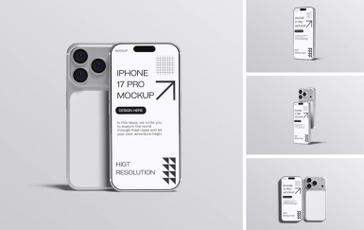
(图片来源网络,侵删)
- 极简主义: 大量留白,简洁的布局,避免不必要的装饰元素。
- 清晰的层级: 使用卡片、阴影和间距来区分不同的内容区块,让用户一眼就能看懂信息结构。
- 流畅的动画: 交互元素(如按钮、链接)有平滑的过渡效果,提供即时反馈。
- 易读的字体: 使用系统字体(如 San Francisco / 苹方),确保在不同设备上都有最佳的阅读体验。
- 一致的交互: 遵循 iOS 的交互习惯,如点击效果、滑动手势等。
关键设计组件与实现
下面是构成 iPhone 风格网页的核心组件及其 CSS 实现方法。
A. 颜色方案
iOS 使用非常柔和、低饱和度的颜色,营造舒适的视觉体验。
- 背景色:
#F2F2F7(浅灰色) 或纯白#FFFFFF。 - 主色调:
#007AFF(蓝色),用于链接、按钮和可点击元素。 - 文字颜色:
- 主要文字:
#000000(纯黑) - 次要文字:
#8E8E93(灰色)
- 主要文字:
- 分割线颜色:
#C6C6C8或#E5E5EA(非常浅的灰色)。
:root {
  --ios-bg-color: #F2F2F7;
  --ios-white: #FFFFFF;
  --ios-blue: #007AFF;
  --ios-text-primary: #000000;
  --ios-text-secondary: #8E8E93;
  --ios-separator: #C6C6C8;
}
B. 字体
苹果的官方字体是 San Francisco,在网页中,我们可以使用系统字体栈来模拟这个效果。
body {
  font-family: -apple-system, BlinkMacSystemFont, "Segoe UI", Roboto, Helvetica, Arial, sans-serif, "Apple Color Emoji", "Segoe UI Emoji", "Segoe UI Symbol";
  font-size: 17px; /* iOS 标准字号 */
  line-height: 1.47;
  letter-spacing: -0.021em;
}
C. 圆角和阴影
这是 iPhone 风格最显著的标志之一。
(图片来源网络,侵删)
- 卡片/按钮圆角:
12px是目前的标准。 - 输入框圆角:
8px。 - 阴影: 使用柔和的、模糊度较高的阴影来创造悬浮感。
.ios-card {
  background-color: var(--ios-white);
  border-radius: 12px;
  box-shadow: 0 4px 16px rgba(0, 0, 0, 0.05); /* 柔和阴影 */
  padding: 20px;
  margin-bottom: 16px;
}
.ios-button {
  background-color: var(--ios-blue);
  color: white;
  border: none;
  border-radius: 12px;
  padding: 14px 24px;
  font-size: 17px;
  font-weight: 600;
  cursor: pointer;
  transition: background-color 0.2s ease, transform 0.1s ease;
}
.ios-button:active {
  background-color: #0051D5; /* 按下时颜色变深 */
  transform: scale(0.98); /* 按下时轻微缩小 */
}
D. 分割线
不要使用 border: 1px solid #ccc,iOS 的分割线更细、更柔和。
.ios-separator {
  height: 1px;
  background-color: var(--ios-separator);
  margin: 16px 0;
}
E. 列表样式
列表项之间有清晰的分割,右侧通常有箭头图标表示可点击。
.ios-list {
  background-color: var(--ios-white);
  border-radius: 12px;
  overflow: hidden; /* 确保圆角内部也生效 */
}
.ios-list-item {
  padding: 16px 20px;
  display: flex;
  justify-content: space-between;
  align-items: center;
  border-bottom: 1px solid var(--ios-separator);
  cursor: pointer;
  transition: background-color 0.15s ease;
}
.ios-list-item:last-child {
  border-bottom: none;
}
.ios-list-item:active {
  background-color: rgba(0, 0, 0, 0.04);
}
.ios-list-item .arrow {
  width: 8px;
  height: 8px;
  border-right: 2px solid var(--ios-text-secondary);
  border-bottom: 2px solid var(--ios-text-secondary);
  transform: rotate(-45deg);
  margin-left: 10px;
}
完整代码示例
下面是一个包含上述所有元素的完整 HTML 页面示例,您可以直接复制并保存为 .html 文件在浏览器中打开查看效果。
<!DOCTYPE html>
<html lang="zh-CN">
<head>
    <meta charset="UTF-8">
    <meta name="viewport" content="width=device-width, initial-scale=1.0, user-scalable=no">iPhone 风格网页模板</title>
    <style>
        /* --- 全局变量与基础样式 --- */
        :root {
            --ios-bg-color: #F2F2F7;
            --ios-white: #FFFFFF;
            --ios-blue: #007AFF;
            --ios-text-primary: #000000;
            --ios-text-secondary: #8E8E93;
            --ios-separator: #C6C6C8;
        }
        * {
            box-sizing: border-box;
            margin: 0;
            padding: 0;
        }
        body {
            font-family: -apple-system, BlinkMacSystemFont, "Segoe UI", Roboto, Helvetica, Arial, sans-serif, "Apple Color Emoji", "Segoe UI Emoji", "Segoe UI Symbol";
            background-color: var(--ios-bg-color);
            color: var(--ios-text-primary);
            line-height: 1.47;
            letter-spacing: -0.021em;
            -webkit-font-smoothing: antialiased; /* 字体平滑 */
        }
        .container {
            max-width: 600px;
            margin: 0 auto;
            padding: 20px;
        }
        /* --- 标题 --- */
        .page-title {
            font-size: 34px;
            font-weight: 700;
            margin-bottom: 8px;
        }
        .page-subtitle {
            font-size: 17px;
            color: var(--ios-text-secondary);
            margin-bottom: 32px;
        }
        /* --- 卡片 --- */
        .ios-card {
            background-color: var(--ios-white);
            border-radius: 12px;
            box-shadow: 0 4px 16px rgba(0, 0, 0, 0.05);
            padding: 24px;
            margin-bottom: 24px;
        }
        .card-title {
            font-size: 20px;
            font-weight: 600;
            margin-bottom: 12px;
        }
        .card-content {
            font-size: 17px;
            color: var(--ios-text-secondary);
        }
        /* --- 按钮 --- */
        .ios-button {
            background-color: var(--ios-blue);
            color: white;
            border: none;
            border-radius: 12px;
            padding: 14px 24px;
            font-size: 17px;
            font-weight: 600;
            width: 100%;
            cursor: pointer;
            transition: background-color 0.2s ease, transform 0.1s ease;
        }
        .ios-button:active {
            background-color: #0051D5;
            transform: scale(0.98);
        }
        .ios-button-secondary {
            background-color: transparent;
            color: var(--ios-blue);
            border: 1px solid var(--ios-blue);
        }
        .ios-button-secondary:active {
            background-color: rgba(0, 122, 255, 0.1);
        }
        /* --- 列表 --- */
        .ios-list {
            background-color: var(--ios-white);
            border-radius: 12px;
            overflow: hidden;
            margin-bottom: 24px;
        }
        .ios-list-item {
            padding: 16px 20px;
            display: flex;
            justify-content: space-between;
            align-items: center;
            border-bottom: 1px solid var(--ios-separator);
            cursor: pointer;
            transition: background-color 0.15s ease;
        }
        .ios-list-item:last-child {
            border-bottom: none;
        }
        .ios-list-item:active {
            background-color: rgba(0, 0, 0, 0.04);
        }
        .list-item-title {
            font-size: 17px;
            font-weight: 500;
        }
        .list-item-subtitle {
            font-size: 15px;
            color: var(--ios-text-secondary);
        }
        .list-item-content {
            display: flex;
            flex-direction: column;
            align-items: flex-start;
        }
        .list-item-detail {
            display: flex;
            align-items: center;
        }
        .arrow {
            width: 8px;
            height: 8px;
            border-right: 2px solid var(--ios-text-secondary);
            border-bottom: 2px solid var(--ios-text-secondary);
            transform: rotate(-45deg);
            margin-left: 10px;
        }
        /* --- 开关 --- */
        .ios-switch {
            position: relative;
            width: 50px;
            height: 30px;
            background-color: #C6C6C8;
            border-radius: 15px;
            cursor: pointer;
            transition: background-color 0.2s ease;
        }
        .ios-switch.active {
            background-color: var(--ios-blue);
        }
        .ios-switch-slider {
            position: absolute;
            top: 3px;
            left: 3px;
            width: 24px;
            height: 24px;
            background-color: white;
            border-radius: 50%;
            transition: transform 0.2s ease;
            box-shadow: 0 2px 4px rgba(0,0,0,0.2);
        }
        .ios-switch.active .ios-switch-slider {
            transform: translateX(20px);
        }
    </style>
</head>
<body>
    <div class="container">
        <h1 class="page-title">我的设置</h1>
        <p class="page-subtitle">管理您的账户和偏好</p>
        <!-- 列表示例 -->
        <div class="ios-list">
            <div class="ios-list-item">
                <div class="list-item-content">
                    <div class="list-item-title">账户信息</div>
                    <div class="list-item-subtitle">查看和修改您的个人资料</div>
                </div>
                <div class="arrow"></div>
            </div>
            <div class="ios-list-item">
                <div class="list-item-content">
                    <div class="list-item-title">通知</div>
                </div>
                <div class="list-item-detail">
                    <span style="color: var(--ios-text-secondary); margin-right: 8px;">已开启</span>
                    <div class="ios-switch active" onclick="this.classList.toggle('active')">
                        <div class="ios-switch-slider"></div>
                    </div>
                </div>
            </div>
            <div class="ios-list-item">
                <div class="list-item-content">
                    <div class="list-item-title">隐私与安全</div>
                </div>
                <div class="arrow"></div>
            </div>
        </div>
        <!-- 卡片示例 -->
        <div class="ios-card">
            <h2 class="card-title">存储空间</h2>
            <p class="card-content">iCloud 已使用 5 GB,总空间为 5 GB。</p>
            <button class="ios-button" style="margin-top: 16px;">管理存储空间</button>
        </div>
        <!-- 按钮组示例 -->
        <div style="display: flex; gap: 12px;">
            <button class="ios-button" style="flex: 1;">主要操作</button>
            <button class="ios-button ios-button-secondary" style="flex: 1;">次要操作</button>
        </div>
    </div>
</body>
</html>
进阶与资源推荐
A. CSS 框架
如果您不想从零开始写 CSS,可以使用一些专门为 iOS 风格设计的 CSS 框架或工具库:
- Pico CSS: 一个轻量级的、注重可访问性的 CSS 框架,默认样式就非常接近 iOS 的极简风格。
- Spectre.css: 另一个轻量级的、模块化的 CSS 框架,提供了美观的组件,包括 iOS 风格的开关和按钮。
- NativeBase: 一个用于 React Native 的 UI 组件库,但它的设计理念非常贴近原生移动端,可以作为灵感来源。
B. UI 组件库
对于更复杂的交互,可以考虑使用 JavaScript UI 组件库,它们通常内置了完整的 iOS 风格组件。
- Framework7: 专门为开发 iOS 和 Android 风格的 Web App 而生,它提供了几乎所有原生 iOS 的组件和交互,是构建此类网页的“核武器”。
- Ionic: 基于 Web Components 的 UI 工具包,可以构建跨平台的移动应用和 PWA(Progressive Web App),其默认主题就模仿了 iOS 和 Android。
C. 图标
- SF Symbols: 苹果官方的图标库,与 iOS 系统完美融合,虽然主要用于原生开发,但图标的设计风格可以借鉴。
- Heroicons: 一个非常精美的开源图标集,设计风格现代、简洁,与 iOS 风格非常搭调。
- Ionicons: Ionic 的一部分,提供了大量移动端风格的图标。
通过结合以上设计理念、组件实现和资源,您完全可以创建出用户体验媲美原生 iPhone 应用的网页。


