免费 HTML5 手机商城模板推荐
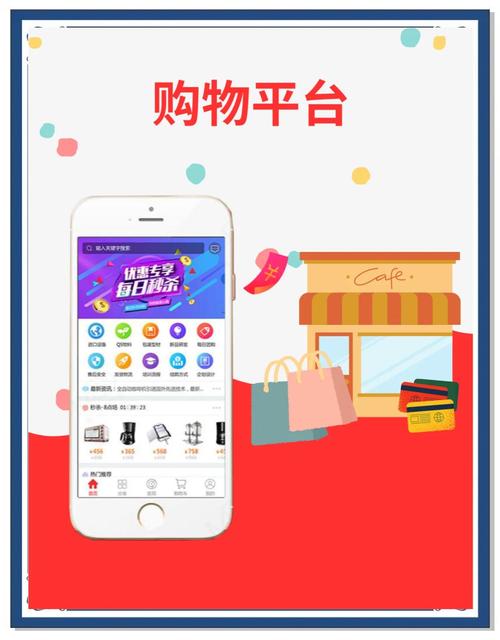
对于个人项目、学习或初创预算有限的情况,免费模板是绝佳选择,这些模板通常基于流行的前端框架,结构清晰,易于二次开发。
(图片来源网络,侵删)
Bootstrap 5 + 响应式商城模板
特点:Bootstrap 是最流行的 CSS 框架之一,其 5 版本对移动端支持非常好,社区有大量基于 Bootstrap 的商城模板。
推荐模板:
- Bootstrap E-commerce Template: StartBootstrap 提供的官方模板,设计现代,包含了首页、产品展示、购物车等基本布局。
- Bootstrap Mall Template: Bootstrapious 网站提供了功能更完整的商城模板,包含产品列表、详情页、购物车、结账流程等。
技术栈:
- HTML5
- CSS3 (Bootstrap 5)
- JavaScript (原生或 jQuery)
- Font Awesome 图标库
Tailwind CSS + 现代化商城模板
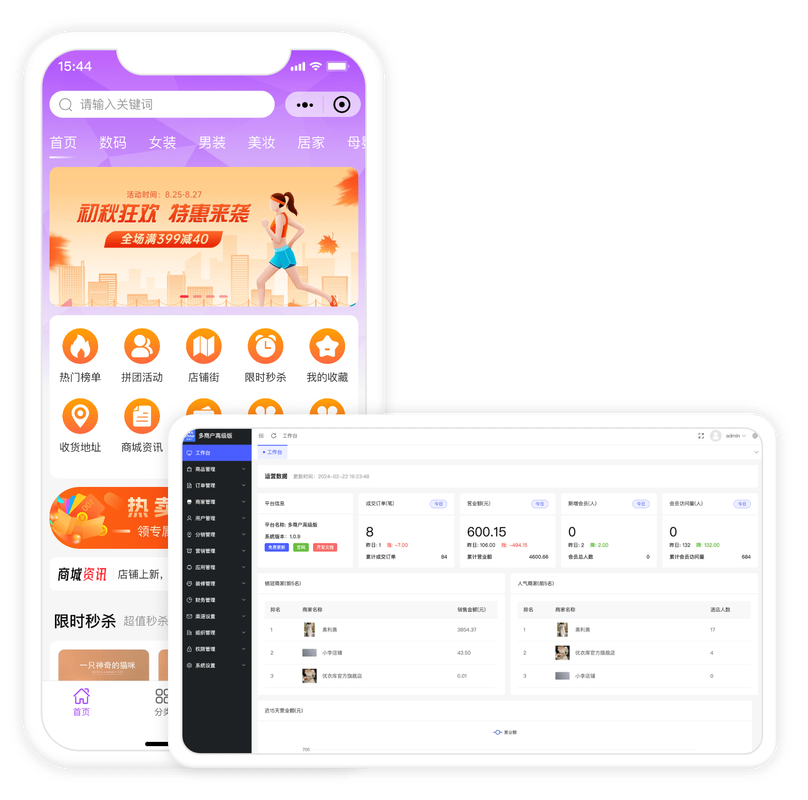
特点:Tailwind CSS 是一个功能类优先的 CSS 框架,能让你快速构建完全自定义的设计,模板通常看起来非常现代和精致。
(图片来源网络,侵删)
推荐模板:
- Tailwind UI E-commerce Components: Tailwind UI 官方提供了一套付费但质量极高的电商组件库,可以单独购买使用,其设计是行业标杆。
- Tailwind CSS E-commerce Template (GitHub): Tailwind CSS 官方网站也提供了一些示例,其中包含电商相关的页面布局。
技术栈:
- HTML5
- CSS3 (Tailwind CSS)
- JavaScript (原生)
- Heroicons 或 Lucide 图标库
付费模板平台 (功能更强大,开箱即用)
如果你需要快速上线一个功能完善的商城,并且预算充足,付费模板平台是最佳选择,这些模板通常与电商平台(如 Shopify, BigCommerce)或 CMS(如 WordPress)深度集成。
Shopify 主题
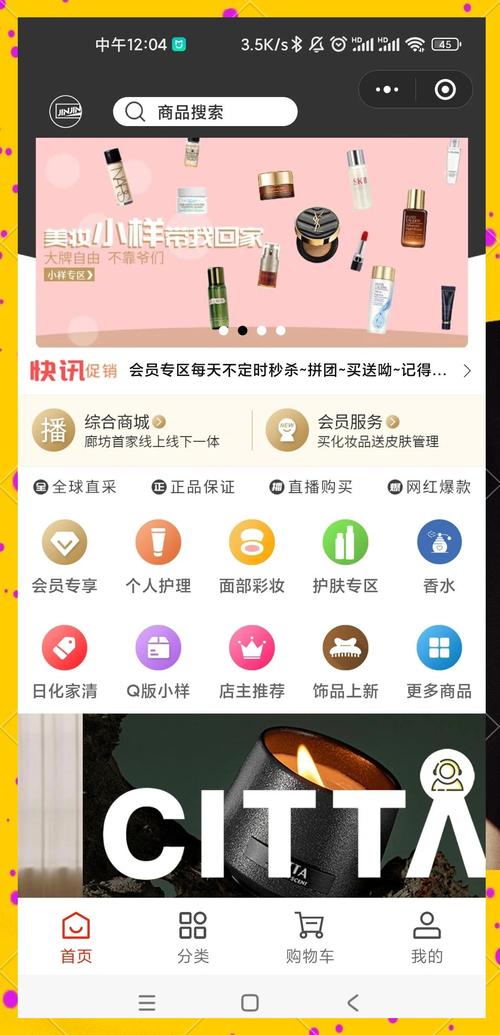
特点:Shopify 是全球领先的 SaaS 电商平台,其主题商店提供了海量高质量的付费和免费移动端优先的商城模板,安装简单,自带支付、物流等全套功能。
(图片来源网络,侵删)
推荐主题:
- Dawn: Shopify 官方推出的免费主题,性能优秀,高度可定制,是新手和商家的首选。
- Sense: 一个付费主题,设计感强,适合时尚、美妆等品牌。
- Flow: 另一个付费主题,布局灵活,适合多品类店铺。
优势:
- 移动端优化:所有主题都为手机购物体验优化。
- 功能完整:内置购物车、结账、产品筛选、博客等功能。
- 安全可靠:Shopify 负责服务器安全和支付处理。
WordPress 主题 (配合 WooCommerce 插件)
特点:WordPress 是最流行的 CMS,通过安装 WooCommerce 插件,它可以变成一个功能强大的电商平台,主题选择极其丰富。
推荐主题:
- Astra: 轻量级、超快的主题,与 WooCommerce 无缝集成,有大量预设模板。
- OceanWP: 功能极其丰富的免费主题,提供了专门的 WooCommerce 扩展,可定制性非常高。
- WoodMart: 一个顶级的付费 WooCommerce 主题,专为在线商店设计,功能强大,包含高级产品过滤器和视觉效果。
优势:
- 高度灵活:你可以完全控制网站的设计和功能。
- 插件生态:拥有海量的 WordPress 插件来扩展功能。
- SEO 友好:WordPress 本身就是 SEO 的最佳实践平台。
核心功能与技术栈解析 (以纯 HTML/CSS/JS 为例)
如果你想自己动手从零开始,一个手机商城模板通常包含以下核心部分。
核心功能模块
- 响应式导航栏:在手机上通常会折叠成汉堡菜单。
- 轮播图/广告区:展示促销活动或主打商品。
- 商品分类导航:方便用户快速找到想要的商品。
- 商品列表/网格:展示商品图片、名称、价格。
- 搜索与筛选:按关键词、价格、品牌等条件筛选商品。
- 商品详情页:展示商品大图、详情、规格、加入购物车按钮。
- 购物车:显示已选商品、数量、总价,可修改或删除。
- 用户中心:登录/注册、订单管理、地址管理、收藏夹。
- 页脚:包含关于我们、联系方式、服务条款等链接。
常用技术栈
- HTML5: 用于构建页面结构,使用
<meta name="viewport" ...>确保页面在移动设备上正确缩放。 - CSS3:
- 媒体查询:
@media (max-width: 768px) { ... }是实现响应式布局的核心。 - Flexbox / Grid: 用于创建灵活的、自适应的布局。
- CSS 变量: 方便统一管理颜色、间距等主题。
- 媒体查询:
- JavaScript (或 jQuery):
- DOM 操作: 动态更新购物车数量、价格。
- 事件监听: 处理点击、滑动等用户交互。
- 数据存储: 使用
localStorage在本地缓存购物车信息,刷新页面后数据不丢失。
- 图标库: Font Awesome 或 Heroicons,提供丰富的矢量图标。
一个极简的 HTML5 手机商城模板示例
下面是一个包含导航、商品列表和购物车基本交互的简单示例,你可以直接复制这段代码到一个 .html 文件中,在浏览器中打开即可看到效果。
<!DOCTYPE html>
<html lang="zh-CN">
<head>
<meta charset="UTF-8">
<meta name="viewport" content="width=device-width, initial-scale=1.0, user-scalable=no">我的手机商城</title>
<link rel="stylesheet" href="https://cdnjs.cloudflare.com/ajax/libs/font-awesome/6.4.0/css/all.min.css">
<style>
/* --- 基础样式和重置 --- */
* {
margin: 0;
padding: 0;
box-sizing: border-box;
font-family: -apple-system, BlinkMacSystemFont, "Segoe UI", Roboto, "Helvetica Neue", Arial, sans-serif;
}
body {
background-color: #f5f5f5;
color: #333;
}
.container {
max-width: 100%;
padding: 0 15px;
}
/* --- 导航栏 --- */
.navbar {
background-color: #fff;
box-shadow: 0 2px 4px rgba(0,0,0,0.1);
position: sticky;
top: 0;
z-index: 1000;
}
.navbar-content {
display: flex;
justify-content: space-between;
align-items: center;
padding: 10px 0;
}
.menu-toggle {
font-size: 1.5rem;
color: #333;
cursor: pointer;
}
.logo {
font-size: 1.2rem;
font-weight: bold;
}
.cart-icon {
position: relative;
font-size: 1.5rem;
color: #333;
cursor: pointer;
}
.cart-count {
position: absolute;
top: -8px;
right: -8px;
background-color: #ff4757;
color: white;
border-radius: 50%;
width: 18px;
height: 18px;
font-size: 0.7rem;
display: flex;
align-items: center;
justify-content: center;
}
/* --- 商品列表 --- */
.products {
display: grid;
grid-template-columns: repeat(auto-fill, minmax(150px, 1fr));
gap: 15px;
padding: 20px 0;
}
.product-card {
background-color: #fff;
border-radius: 8px;
overflow: hidden;
box-shadow: 0 2px 8px rgba(0,0,0,0.1);
text-align: center;
transition: transform 0.2s;
}
.product-card:active {
transform: scale(0.98);
}
.product-image {
width: 100%;
height: 150px;
background-color: #eee;
object-fit: cover;
}
.product-info {
padding: 10px;
}
.product-title {
font-size: 0.9rem;
margin-bottom: 5px;
white-space: nowrap;
overflow: hidden;
text-overflow: ellipsis;
}
.product-price {
color: #ff4757;
font-weight: bold;
}
.add-to-cart-btn {
background-color: #2ed573;
color: white;
border: none;
padding: 8px 15px;
border-radius: 5px;
cursor: pointer;
width: 100%;
margin-top: 10px;
font-size: 0.9rem;
}
/* --- 购物车弹窗 --- */
.cart-modal {
display: none;
position: fixed;
top: 0;
left: 0;
width: 100%;
height: 100%;
background-color: rgba(0,0,0,0.5);
z-index: 2000;
}
.cart-content {
background-color: #fff;
width: 100%;
max-height: 80vh;
overflow-y: auto;
position: absolute;
bottom: 0;
border-radius: 15px 15px 0 0;
padding: 20px;
}
.cart-header {
display: flex;
justify-content: space-between;
align-items: center;
border-bottom: 1px solid #eee;
padding-bottom: 15px;
margin-bottom: 15px;
}
.close-cart {
font-size: 1.5rem;
cursor: pointer;
}
.cart-item {
display: flex;
justify-content: space-between;
align-items: center;
padding: 10px 0;
border-bottom: 1px solid #eee;
}
.cart-item-info {
flex: 1;
}
.cart-item-title {
font-size: 0.9rem;
}
.cart-item-price {
color: #ff4757;
font-weight: bold;
}
.cart-total {
margin-top: 20px;
text-align: right;
font-size: 1.2rem;
font-weight: bold;
}
.checkout-btn {
background-color: #ff4757;
color: white;
border: none;
padding: 12px;
border-radius: 5px;
cursor: pointer;
width: 100%;
margin-top: 15px;
font-size: 1rem;
}
</style>
</head>
<body>
<!-- 导航栏 -->
<nav class="navbar">
<div class="container">
<div class="navbar-content">
<div class="menu-toggle"><i class="fas fa-bars"></i></div>
<div class="logo">我的商城</div>
<div class="cart-icon" onclick="toggleCart()">
<i class="fas fa-shopping-cart"></i>
<span class="cart-count" id="cart-count">0</span>
</div>
</div>
</div>
</nav>
<!-- 主内容区 -->
<main class="container">
<h2 style="padding: 20px 0 10px;">热门商品</h2>
<div class="products" id="products-container">
<!-- 商品将通过 JavaScript 动态加载 -->
</div>
</main>
<!-- 购物车弹窗 -->
<div class="cart-modal" id="cart-modal">
<div class="cart-content">
<div class="cart-header">
<h3>我的购物车</h3>
<span class="close-cart" onclick="toggleCart()">×</span>
</div>
<div id="cart-items">
<!-- 购物车商品将通过 JavaScript 动态加载 -->
</div>
<div class="cart-total">总计: ¥<span id="cart-total-price">0.00</span></div>
<button class="checkout-btn" onclick="checkout()">去结算</button>
</div>
</div>
<script>
// 模拟商品数据
const products = [
{ id: 1, title: '时尚运动鞋', price: 299.00, image: 'https://via.placeholder.com/150' },
{ id: 2, title: '无线蓝牙耳机', price: 199.00, image: 'https://via.placeholder.com/150' },
{ id: 3, title: '智能手表', price: 899.00, image: 'https://via.placeholder.com/150' },
{ id: 4, title: '便携充电宝', price: 89.00, image: 'https://via.placeholder.com/150' },
{ id: 5, title: '高清相机', price: 2599.00, image: 'https://via.placeholder.com/150' },
{ id: 6, title: '机械键盘', price: 459.00, image: 'https://via.placeholder.com/150' }
];
// 购物车数据
let cart = JSON.parse(localStorage.getItem('cart')) || [];
// 页面加载时渲染商品和购物车
document.addEventListener('DOMContentLoaded', () => {
renderProducts();
updateCartUI();
});
// 渲染商品列表
function renderProducts() {
const container = document.getElementById('products-container');
container.innerHTML = products.map(product => `
<div class="product-card">
<img src="${product.image}" alt="${product.title}" class="product-image">
<div class="product-info">
<div class="product-title">${product.title}</div>
<div class="product-price">¥${product.price.toFixed(2)}</div>
<button class="add-to-cart-btn" onclick="addToCart(${product.id})">加入购物车</button>
</div>
</div>
`).join('');
}
// 添加到购物车
function addToCart(productId) {
const product = products.find(p => p.id === productId);
const existingItem = cart.find(item => item.id === productId);
if (existingItem) {
existingItem.quantity += 1;
} else {
cart.push({ ...product, quantity: 1 });
}
// 保存到本地存储
localStorage.setItem('cart', JSON.stringify(cart));
// 更新 UI
updateCartUI();
// 简单的反馈
alert('已添加到购物车!');
}
// 更新购物车 UI
function updateCartUI() {
const cartCount = document.getElementById('cart-count');
const cartItems = document.getElementById('cart-items');
const cartTotalPrice = document.getElementById('cart-total-price');
// 计算总数量和总价
const totalQuantity = cart.reduce((sum, item) => sum + item.quantity, 0);
const totalPrice = cart.reduce((sum, item) => sum + item.price * item.quantity, 0);
cartCount.textContent = totalQuantity;
cartTotalPrice.textContent = totalPrice.toFixed(2);
// 渲染购物车商品列表
if (cart.length === 0) {
cartItems.innerHTML = '<p style="text-align: center; color: #999;">购物车是空的</p>';
} else {
cartItems.innerHTML = cart.map(item => `
<div class="cart-item">
<div class="cart-item-info">
<div class="cart-item-title">${item.title}</div>
<div class="cart-item-price">¥${item.price.toFixed(2)} x ${item.quantity}</div>
</div>
<button onclick="removeFromCart(${item.id})" style="background: none; border: none; color: #ff4757; cursor: pointer;">
<i class="fas fa-trash"></i>
</button>
</div>
`).join('');
}
}
// 从购物车移除
function removeFromCart(productId) {
cart = cart.filter(item => item.id !== productId);
localStorage.setItem('cart', JSON.stringify(cart));
updateCartUI();
}
// 切换购物车显示/隐藏
function toggleCart() {
const modal = document.getElementById('cart-modal');
modal.style.display = modal.style.display === 'block' ? 'none' : 'block';
}
// 结算
function checkout() {
if (cart.length === 0) {
alert('购物车是空的,请先添加商品!');
return;
}
alert('结算功能开发中...');
// 这里可以跳转到支付页面或执行其他逻辑
}
</script>
</body>
</html>
如何选择合适的模板?
-
明确你的需求:
- 个人项目/学习:选择免费模板,如 Bootstrap 或 Tailwind CSS 的示例。
- 快速上线/初创店铺:选择 Shopify 或 WordPress + WooCommerce,它们省去了服务器和支付集成的麻烦。
- 追求独特设计/高度定制:选择 Tailwind CSS 自己搭建,或购买高质量的 WordPress 付费主题。
-
考虑技术能力:
- 不懂代码:直接选择 Shopify 或 WordPress 提供的一站式解决方案。
- 懂前端/后端:可以选择纯 HTML/CSS/JS 模板进行二次开发,或者使用 WordPress/WooCommerce 进行深度定制。
-
评估预算:
- 零预算:使用免费模板和开源软件。
- 有预算:付费模板和 SaaS 平台能节省大量时间和精力,投资回报率更高。
希望这份详细的指南能帮助你找到最适合的 HTML5 手机商城模板!


